
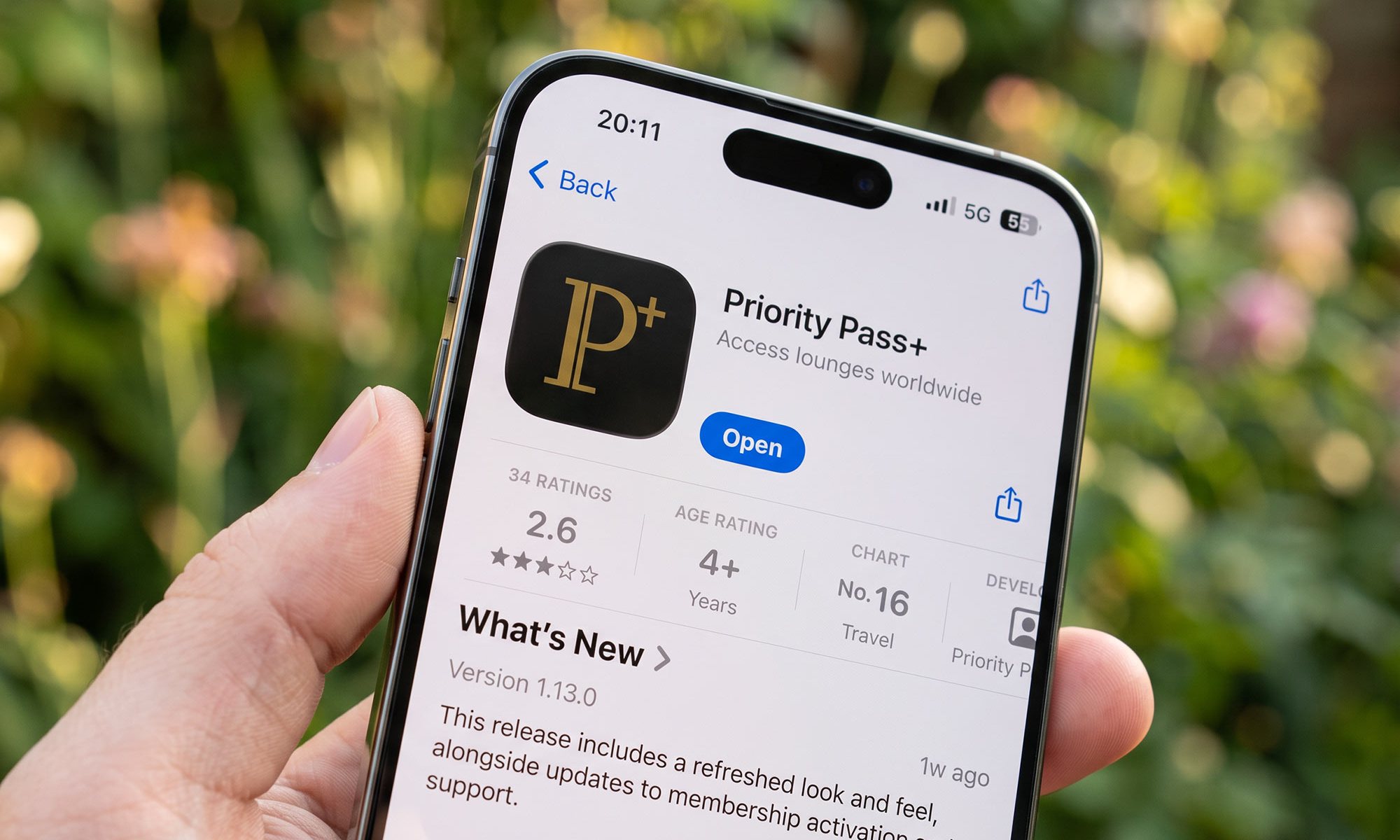

If you hold more than one credit card in Singapore offering lounge access, you almost certainly hold more than one Priority Pass membership, and until now each one has needed its own account, its own username and its own password.
For many of us, it’s been the single most irritating thing about Priority Pass for years. Not the lounges themselves nor the entitlements, but the admin. Three credit cards with a linked Priority Pass membership, for example, meant three logins, with no way to see them side by side.
Priority Pass has finally addressed it. Its owner and operator, Collinson International, has built an entirely new app called Priority Pass+, which is now live in both the Singapore App Store and on Google Play, and it lets you hold every one of your memberships under a single sign-in.
We’ve downloaded it, migrated one membership, imported two more, and put it through its paces. Here’s what works, what doesn’t, and whether it’s worth switching.

Note that our testing was on the iOS version, so Android readers may see some small differences.
A new app, not an update
The first thing to understand is that Priority Pass+ is a separate download, not an update to the app you already have. Both sit side by side in the App Store and on Google Play, with different icons, and installing the new one does not remove the old one.
That’s an odd choice, and it has caused a good deal of confusion where it has been rolled out already, but it does mean that if the new app doesn’t work for one of your memberships, the old app is generally still there to fall back on.
Not always, though. Members have reported logging into the old app only to be met with a screen telling them to download Priority Pass+ instead, so once your account has been flipped over at Collinson’s end, the old app may no longer be an option, even though mine is.
The app itself isn’t brand new. Version 1.0 appeared way back in November 2025, and it has been through more than a dozen releases since.
The version that matters for readers here is 1.12.0, which arrived in early August 2026 and added support for eight additional languages across the Asia-Pacific region, along with easier membership importing. That’s when the Singapore rollout began in earnest.
Priority Pass describes the rollout as phased, and says it will notify members when it’s their turn to switch. In practice, that means some of your memberships may work in the new app today while others don’t. More on that below.
Setting it up
Migrating the first membership is the awkward bit, and everything after that is relatively easy.
When you open Priority Pass+ for the first time, you sign in – and this is the first real change, because the new app uses your email address rather than your username. You’ll be sent a six-digit code by email to confirm it.
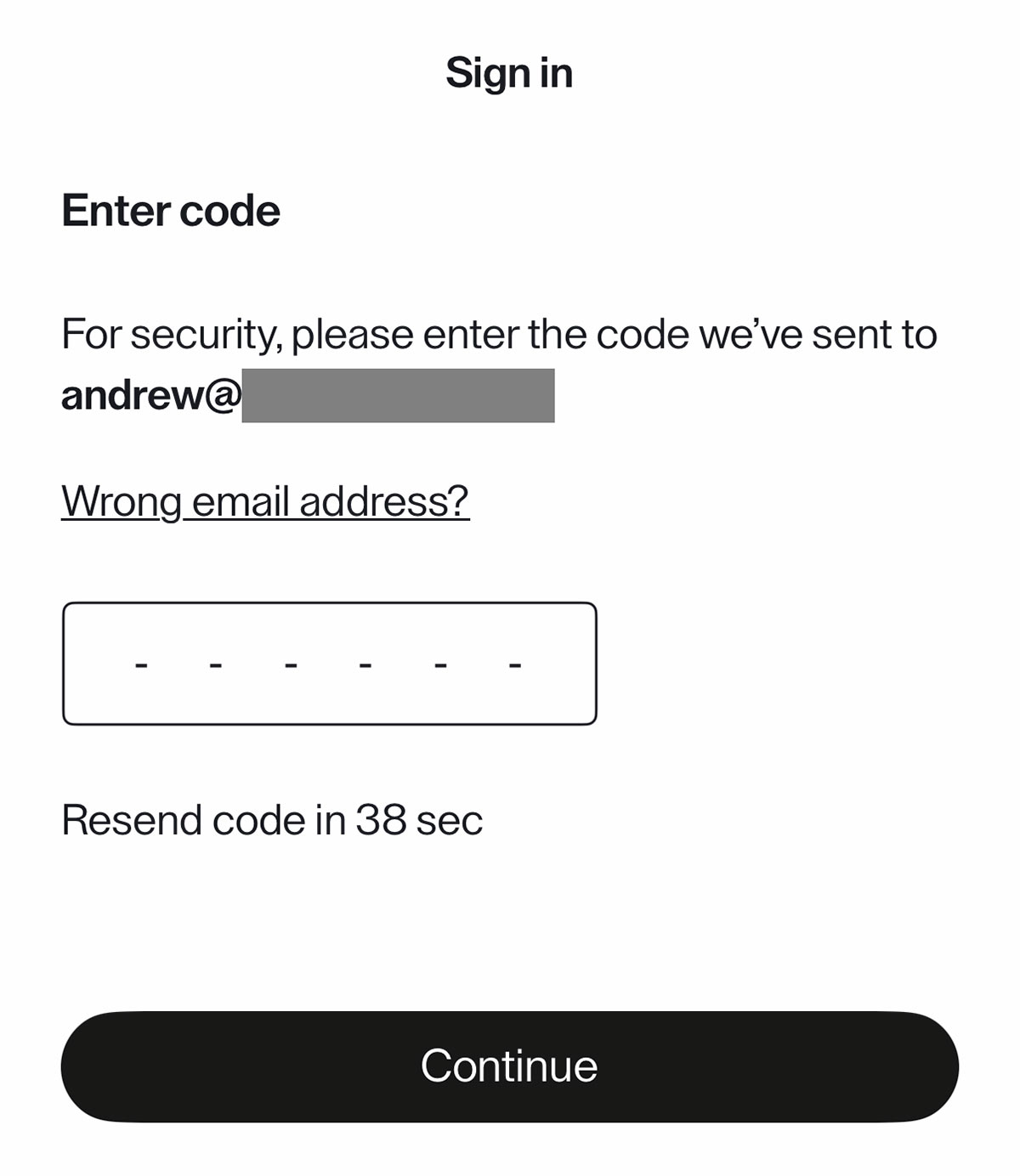
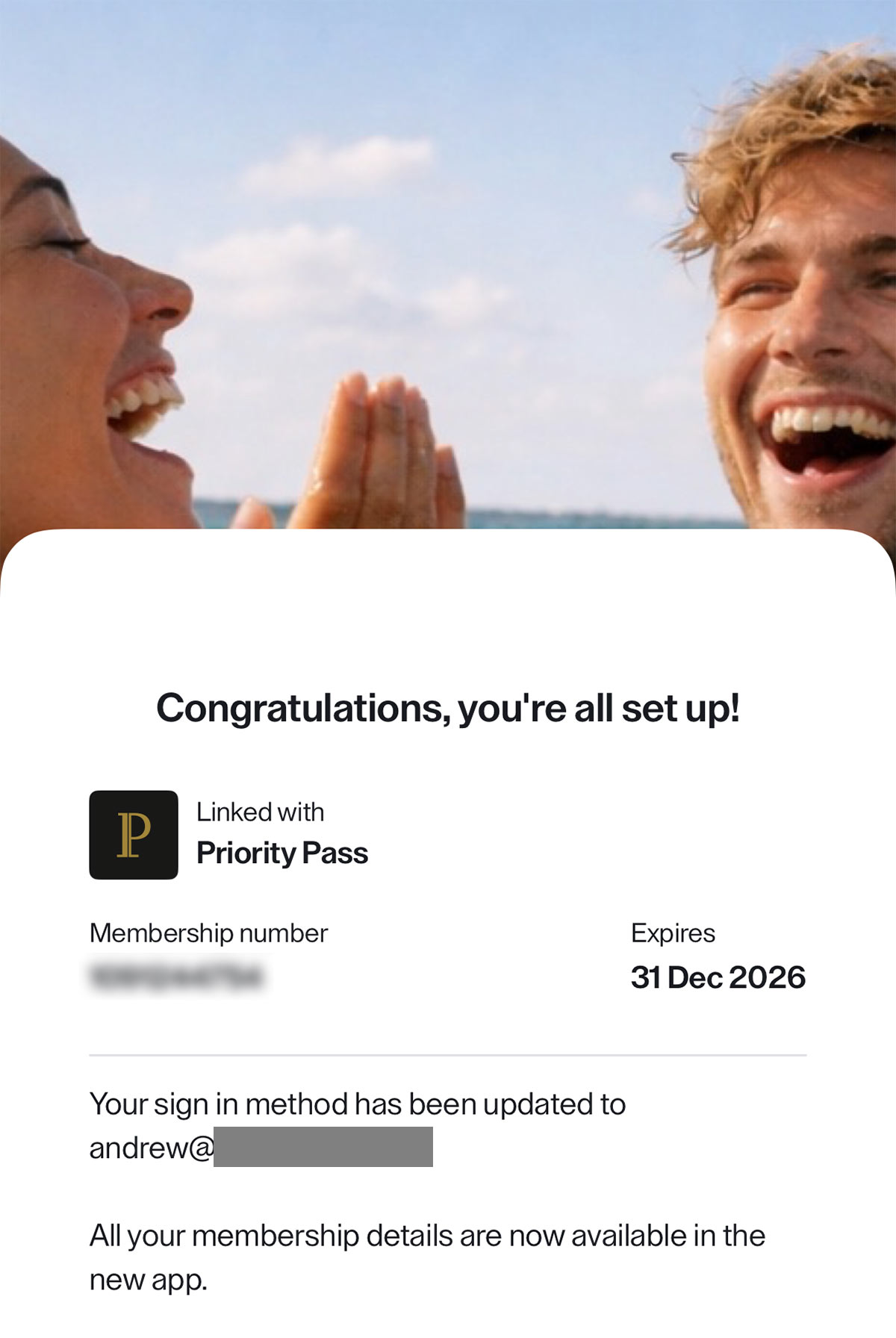
Once that’s done, the app confirms the membership is linked and tells you your sign-in method has been updated to your email address. That’s your first card in.
If you have additional Priority Pass memberships, then to add the rest go to the Card tab at the bottom of the screen and tap the card icon in the top right. You’re offered two routes, either activate a brand new membership, or import an existing one.

For a Priority Pass you’ve already registered – which will be all of them, if you’ve been using the old app – choose Import existing membership.
It’s a three-step process using your username or email address for that account, and at the end it shows you exactly which membership it has found, complete with membership number and expiry date, before you confirm.
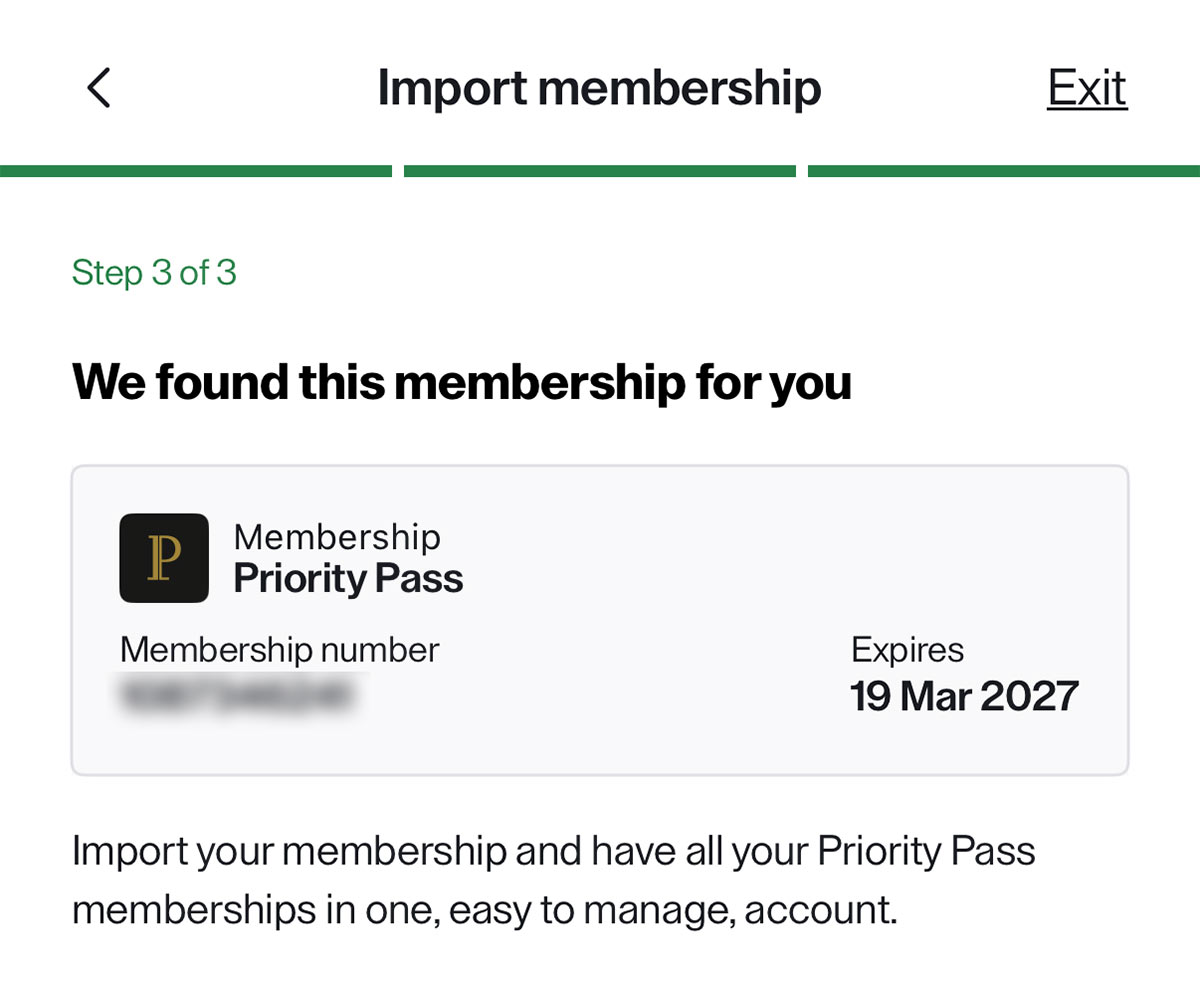
Tap Import membership and it drops straight into your stack. Repeat the process for each remaining card or membership you hold.
Once done, you have one login for everything, and you never need to type those old usernames again.
That’s more or less the whole pitch, and it works. For anyone who has been juggling three or four sets of Priority Pass credentials, it’s a very useful and somewhat overdue improvement.
Entitlements and renewal dates are clearer
The second thing the new app does well is entitlement tracking.
Select any membership in the stack and you get two tabs beneath it – Access and Entitlements. The Entitlements tab shows visits used and visits remaining, split between Member and Guest (though for most Singapore credit card-linked memberships this is the same ‘pool’).
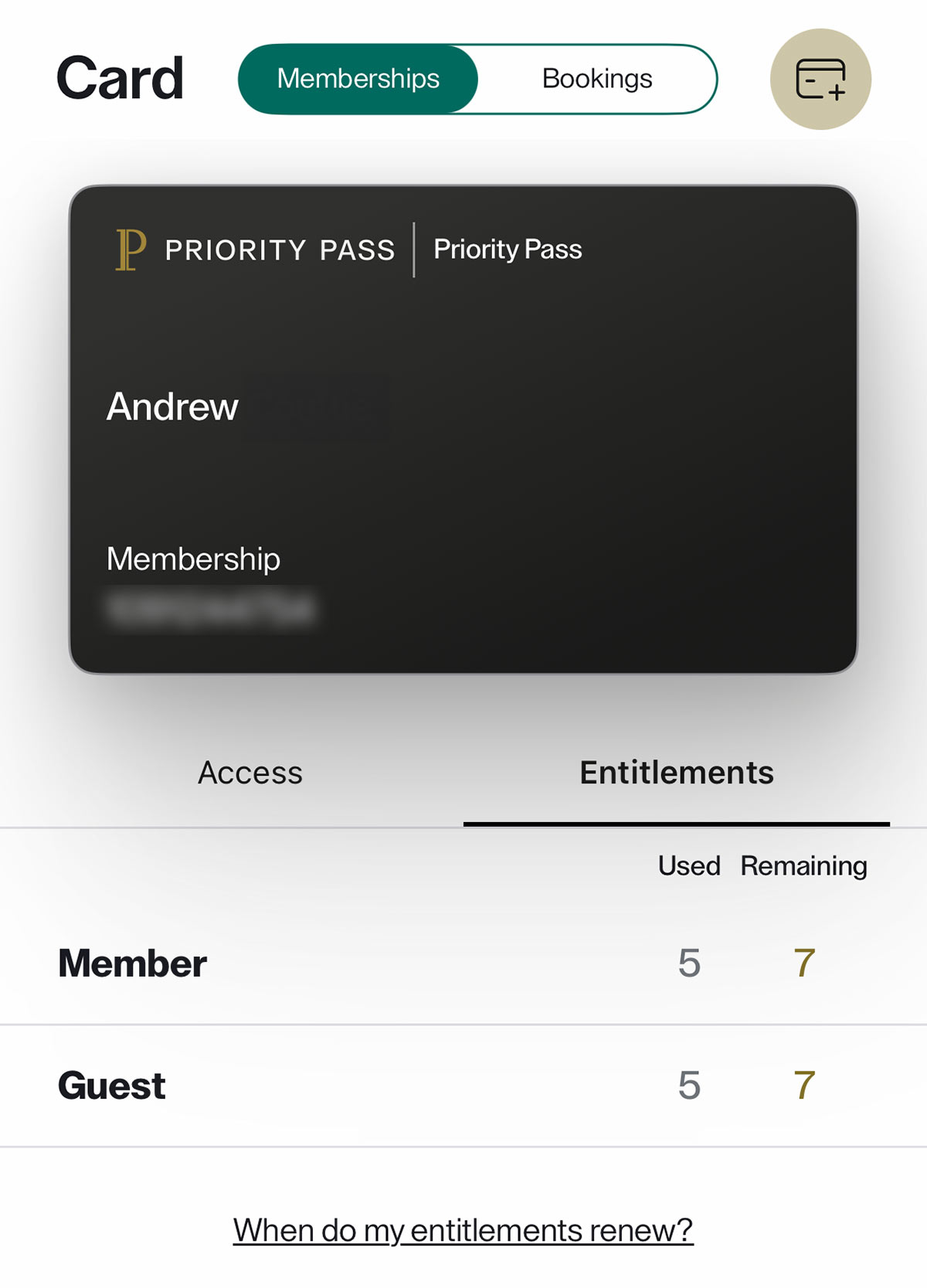
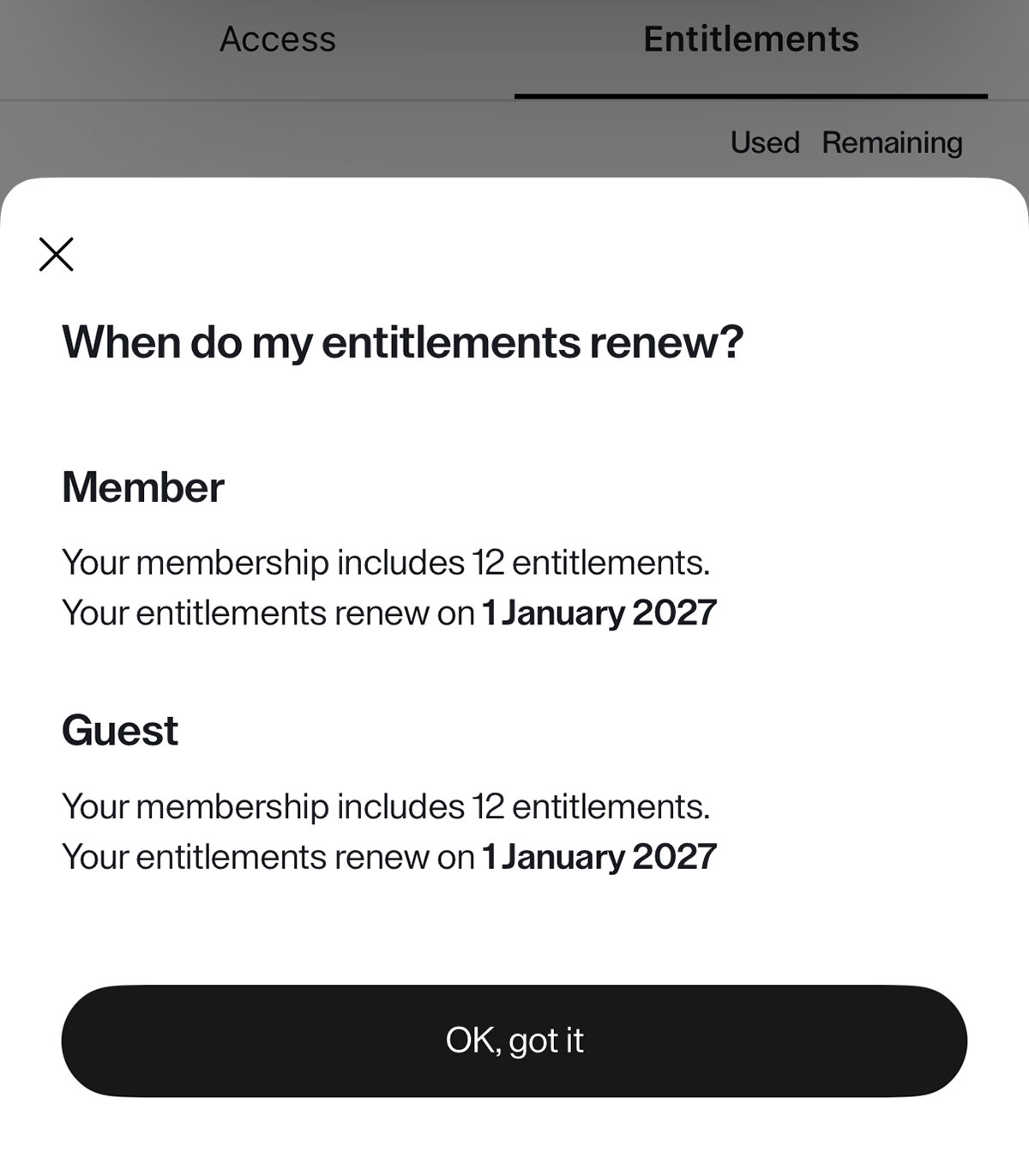
Tap When do my entitlements renew? and you get the total allowance and the exact renewal date for both.
This matters more in Singapore than in many other markets, because our cards don’t all work the same way.
Some Priority Pass memberships here reset based on the calendar year, others on the card’s membership year, and if you get that wrong you can find yourself paying for a visit you thought was free, at upwards of US$35 a head, or having your visit allowance reset unexpectedly before you’ve managed to use them all.
Two of our three memberships illustrate the point quite neatly.
One, from the Citi Prestige Card, carries 12 visits and renews on 1st January 2027 – a calendar-year membership, as shown above. The other, from the DBS Vantage Card, carries 10 visits and renews on 20th March 2027, tied to the membership year instead.
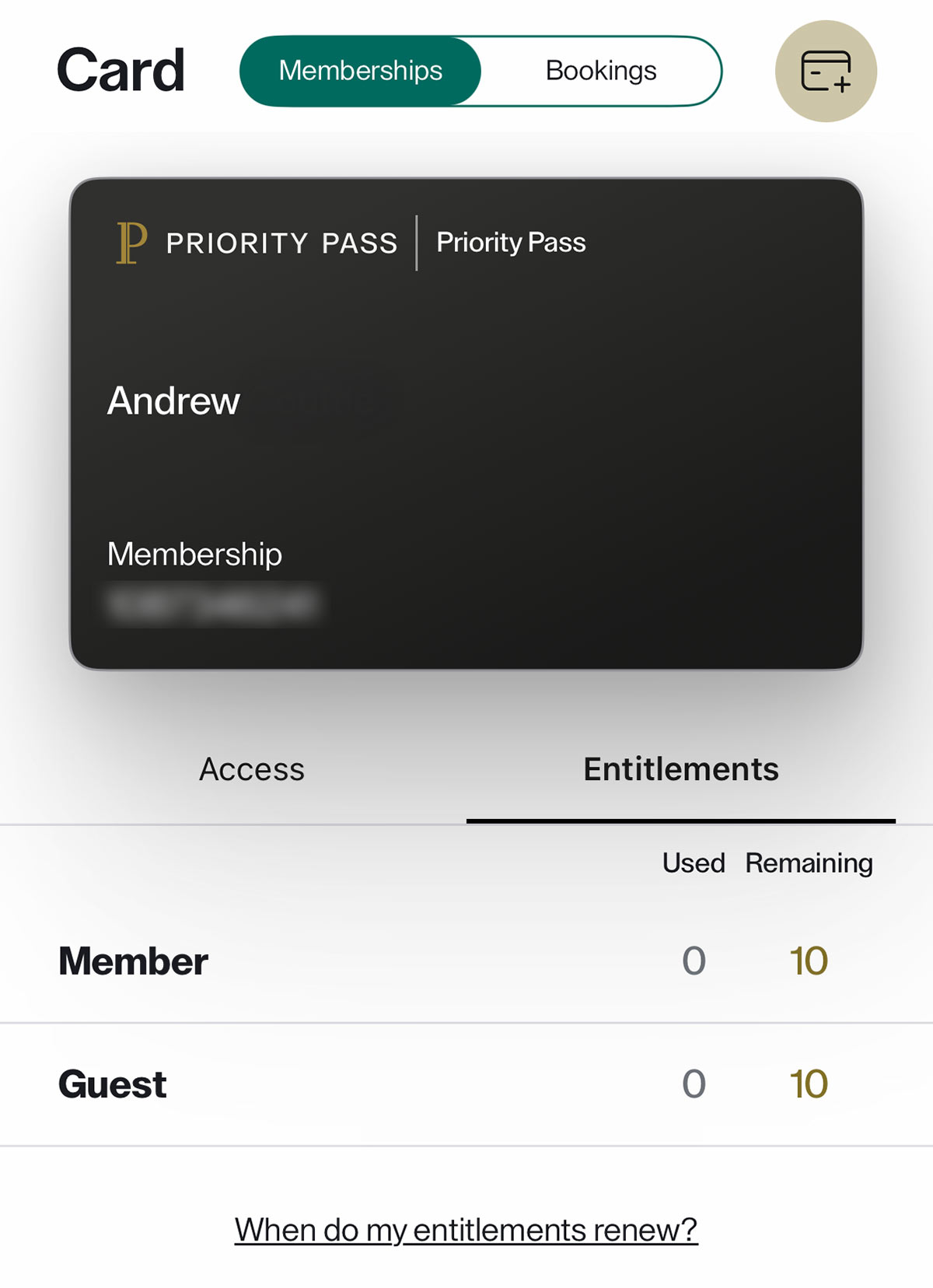
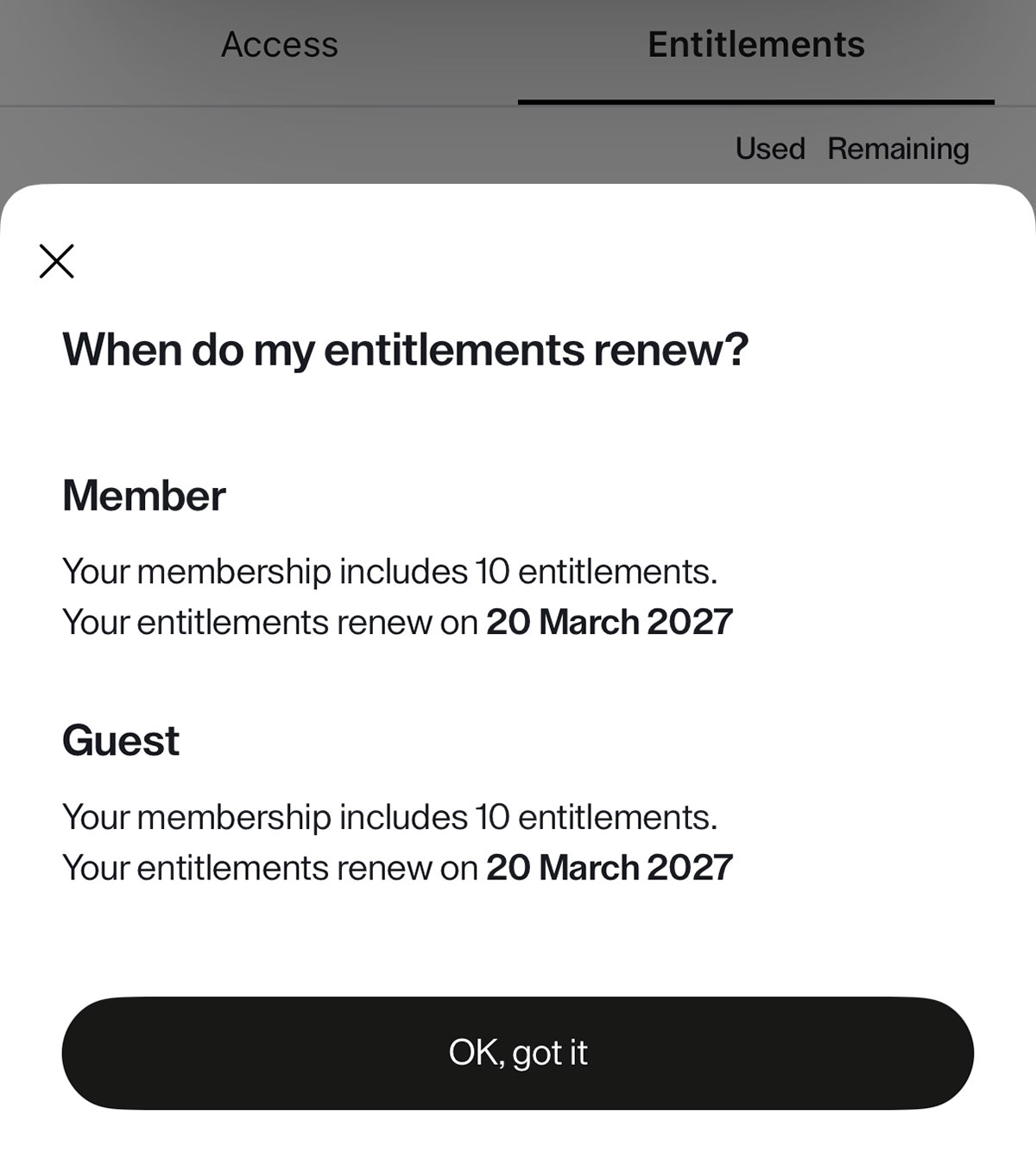
Being able to check both in the same app, without logging out and back in, is exactly the sort of thing that should have existed years ago, and that the Priority Pass+ app now allows.
If you’re wondering which credit cards in Singapore actually offer complimentary lounge visits each year, check our recently updated dedicated guide here.


What else is new
Beyond the multi-membership feature, Priority Pass+ adds a handful of things the old app didn’t have. Here’s how the two compare.
| Priority Pass app vs. Priority Pass+ app |
||
| Feature |  Priority Pass Priority Pass(old app) |
 Priority Pass+ Priority Pass+(new app) |
| Sign in using | Username | Email address + one-time code |
| Multiple memberships per login | No | Yes |
| Visits used and remaining | Yes | Yes |
| Entitlement renewal date | Yes | Yes |
| Digital membership card | Yes | Yes |
| Add to Apple Wallet | Yes | Yes |
| Lounge pre-booking | No | Yes (selected lounges) |
| Trip planning | No | Yes |
| Default home airport | No | Yes |
| Saved payment details | No | Yes |
| Issuing card shown on membership | No | Inconsistent |
| LoungeKey memberships | No | No |
The trip planning function lets you enter your upcoming flights, after which the app displays the lounges and experiences available to you at each airport.
You can also set a default home airport, which for most of our readers means Changi, and the app will switch automatically to wherever you happen to be if you allow location access.

(Photo: MainlyMiles)
Whether you’ll use any of that is another question. Most people open the Priority Pass app for about fifteen seconds at a lounge door, and a trip planner that requires manual flight entry is unlikely to change that.
Apple Wallet support carries over, and remains the quickest way to have a membership card ready without opening the app at all – on iOS, at least, which is what we tested.

Where it still falls short
Now the honest part, because the multi-membership feature solves one problem and leaves a surprising amount of original annoyance intact.
Every card looks identical
Once you’ve imported your memberships, the Card tab presents them as a stack of black rectangles, each showing your name and nothing else until you select it. There’s no issuing bank, no card name, and no colour coding. If you have three memberships, you are looking at three identical cards and guessing.
Nor is there any way to help yourself out, because the app offers no option to add your own nickname or label to a membership.
Confusingly, Priority Pass does have the ability to display the associated credit card on the membership. Members in the US have reported theirs labelled with the issuing product, naming the specific card and bank.
None of the memberships we hold from Singapore-issued cards display anything beyond the generic “Priority Pass”. Whether that’s a Priority Pass limitation or a matter of local banks not supplying the data, the effect is the same – you still have to memorise which membership number belongs to which card in your wallet.
The card face carries no useful information
The membership card shows your name and your membership number. It does not show visits remaining, the expiry date, or the renewal date – all of which the app already knows, and all of which you have to tap through to the Entitlements tab to find, one membership at a time.
This is an obvious missed opportunity.
If a card in the stack simply displayed “7 visits remaining, renews 1 Jan 2027” on its face, for example, the app would answer the only question that actually matters at a lounge door, at a glance. As it stands, choosing between multiple memberships still takes several taps, and is a trial and error exercise.
You still have to swap between cards
There’s no combined view of your total remaining entitlements, and no way to nominate a preferred membership for a given trip. You select one, you show it, and if it’s the wrong one you have to go back and select another, and so on.
The rollout is uneven
Priority Pass has been clear that this is phased, and reports from elsewhere confirm that some memberships simply refuse to migrate and prompt you to keep using the old app. If one of your cards won’t import, unfortunately that’s just expected behaviour at this stage.
The reception has been poor
We can only be blunt about this – the new app currently sits at 1.4 out of 5 on the US App Store, from more than 800 ratings.
It fares a little better elsewhere, at 2.6 in the UK from 34 ratings and 1.6 in Singapore from a mere seven, but the US score is the one to take seriously. The app launched there first, and it has by far the largest pool of real-world experience behind it.
A good number of those one-star ratings come from people annoyed at being asked to download a second app in the first place, which of course is not quite the same as the app being broken. But there are also consistent reports of sign-in failures and account migration problems, so it’s worth setting this one up well before your trip, not while walking towards the lounge entrance!
What it doesn’t cover
LoungeKey memberships aren’t supported
If your lounge access comes via LoungeKey rather than Priority Pass, this app does nothing for you, either alone or alongside a Priority Pass membership.
That’s the harder one to excuse, because Collinson International owns and operates both programmes. They run as separate networks with their own lounge partnerships, but a single operator building a membership consolidation app and leaving out its own second lounge programme is a curious omission.
DragonPass isn’t part of this at all
Worth stating for clarity, since a fair number of Singapore cards use DragonPass rather than Priority Pass for lounge access. It’s a competing network, so there was never any prospect of it being supported here, but if that’s where much of your lounge access comes from, you’re still using Mastercard Travel Pass or Airport Companion, and nothing in this app changes that.
Not all Priority Pass memberships are equal
The app consolidates your logins, but it does not harmonise your benefits. Guest policies, visit allowances and whether non-lounge experiences such as airport restaurants and spas are included all still vary by issuing card, and the app doesn’t spell out those differences for you.
You still need to check your card’s own terms for details on these perks.
Should you switch?
If you hold two or more Priority Pass memberships, yes – and there’s very little reason to wait. The upside is never having to remember which username belongs to which credit card again. Just don’t assume the old app will always be waiting for you if things don’t go smoothly, since some members have found themselves pushed onto the new app, whether they were ready or not.
If you hold a single Priority Pass membership, the case is much weaker. You get lounge pre-booking and a trip planner you probably won’t use, in exchange for a fresh download, a new sign-in flow and the possibility of a migration that doesn’t quite work yet.
There’s no announced retirement date for the old app, so there’s no urgency there.
Whichever camp you’re in, one piece of advice from the reviews is to do the switch at home, not at the airport. Migrating accounts while a lounge queue builds behind you is nobody’s idea of a stress-free start to a trip.
Pros and cons
The good
- All your Priority Pass memberships under one login, at last
- Import process is quick and confirms the membership before you commit
- Visits used, visits remaining and renewal dates shown clearly for each membership, split between member and guest
- Clearly shows whether a membership permits guest sharing
- Apple Wallet support retained
- Lounge pre-booking added at selected locations
- Old app generally still works alongside it, at least until your account is migrated
The not so good
- Every membership card looks identical, with no issuing bank shown on Singapore-issued memberships and no way to add your own nickname
- Card face doesn’t show visits remaining or expiry, the two things you actually want to know at a glance
- Still no combined visit entitlement view, and still several taps to swap between memberships
- Phased rollout means some memberships may not migrate yet
- Separate download rather than an update to the existing app
- Poor App Store ratings and widespread reports of sign-in problems
- No support for LoungeKey memberships, despite Collinson International running both programmes
Summary
Priority Pass+ fixes the thing that most needed fixing. Holding several memberships from different credit cards under a single login is a long overdue improvement, and for readers here – where a handful of Singapore credit cards can easily leave you with three or four separate Priority Pass accounts – it makes things much easier.
What it hasn’t done yet is finish the job.
The memberships sit in the app as an anonymous stack of identical cards, with the useful information one or two levels down, rather than on the card face where they could easily be incorporated, and there’s no easy way to see everything at once.
Adding the issuing bank, the visits remaining and the renewal date to each card would take the app from useful to excellent in our opinion, and none of it is information Priority Pass doesn’t already hold, so it’s a surprising omission.
Failing that, simply letting members label each membership card themselves would go a long way.
More features are promised over the coming months. In the meantime, if you’re juggling multiple memberships, it’s probably worth making the switch.
Do you have multiple Priority Pass memberships from your Singapore credit cards? Let us know in the comments how the migration went for you.
(Cover Image: MainlyMiles)
Works for me for one card, and refuses to import the second card (citing account not found!). I would give it 2/5 stars.
Silly question but for those who have HSBC credit cards where access is granted by showing your credit card instead of any PP card, this App would have no use or benefit, would it ?