
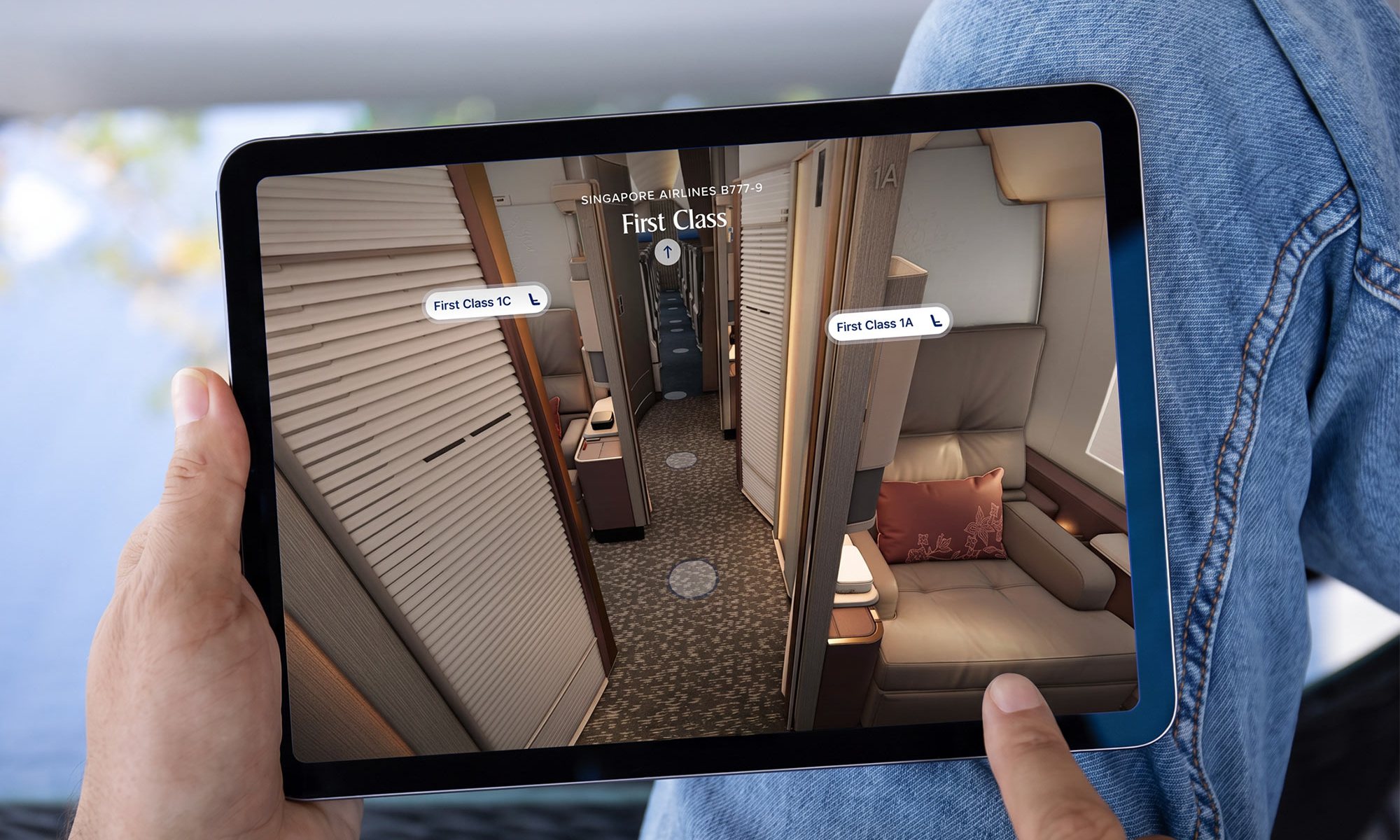

Back in March 2025 we covered Singapore Airlines’ new virtual cabin walk-through, which let you step aboard a Boeing 777-300ER, wander down the aisle, pan around, zoom in and out, and drop into selected seats to study them further.
We said at the time we hoped to see it across the whole fleet before long. Well it took 20 months, but it’s finally here.
The walk-through now covers every aircraft type Singapore Airlines operates, in every cabin on each type. There’s a bonus too, because the airline has also built one for the Boeing 777-9, complete with the brand new cabin products it revealed earlier this month, probably close to a year before you’ll be able to actually sit in them.
Not so long ago, choosing a seat meant squinting at a blocky airline seat map that wasn’t drawn to scale and told you almost nothing useful. Then aeroLOPA arrived with accurate, to-scale plans that finally showed you where the windows were, among other things.
Now Singapore Airlines will let you stand in the cabin and look around before you’ve even booked, so we’ve come a long way in a relatively short time with this useful feature.
What’s new
Until now the walk-through was exclusive to the Boeing 777-300ER, even as the simpler seat-by-seat 3D preview reached the whole fleet last month.
That’s now been corrected, with every type featuring a walk-through, and the Airbus A350 gets three of them, one for each sub-variant:
- Boeing 737-8 MAX
- Boeing 777-300ER
- Boeing 787-10
- Airbus A350 Medium Haul
- Airbus A350 Long Haul
- Airbus A350 Ultra Long Range
- Airbus A380
- Boeing 777-9 (not yet in service)
All cabins are included on all types, which means the A380’s Suites and the 737-8 MAX’s ten-seat Business Class cabin are both walkable for the first time.
Where to find them
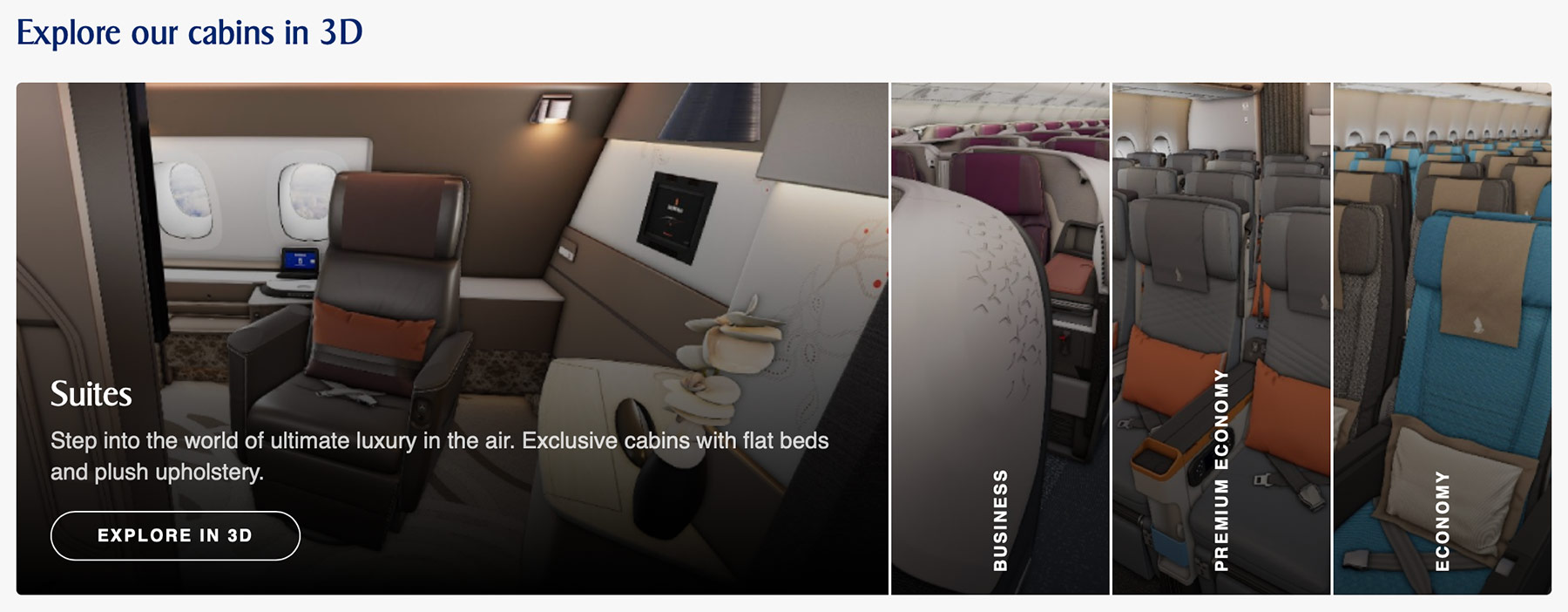
The walk-throughs live on each aircraft type’s page in the Our Fleet section of the Singapore Airlines website, under an ‘Explore our cabins in 3D’ heading. Pick a cabin, hit ‘Explore in 3D’, and you’re on board.
There are only five fleet pages there, because the three A350 variants share one. On the A350 page the variants appear as tabs above the 3D section, and the cabin images below update as you switch between them.
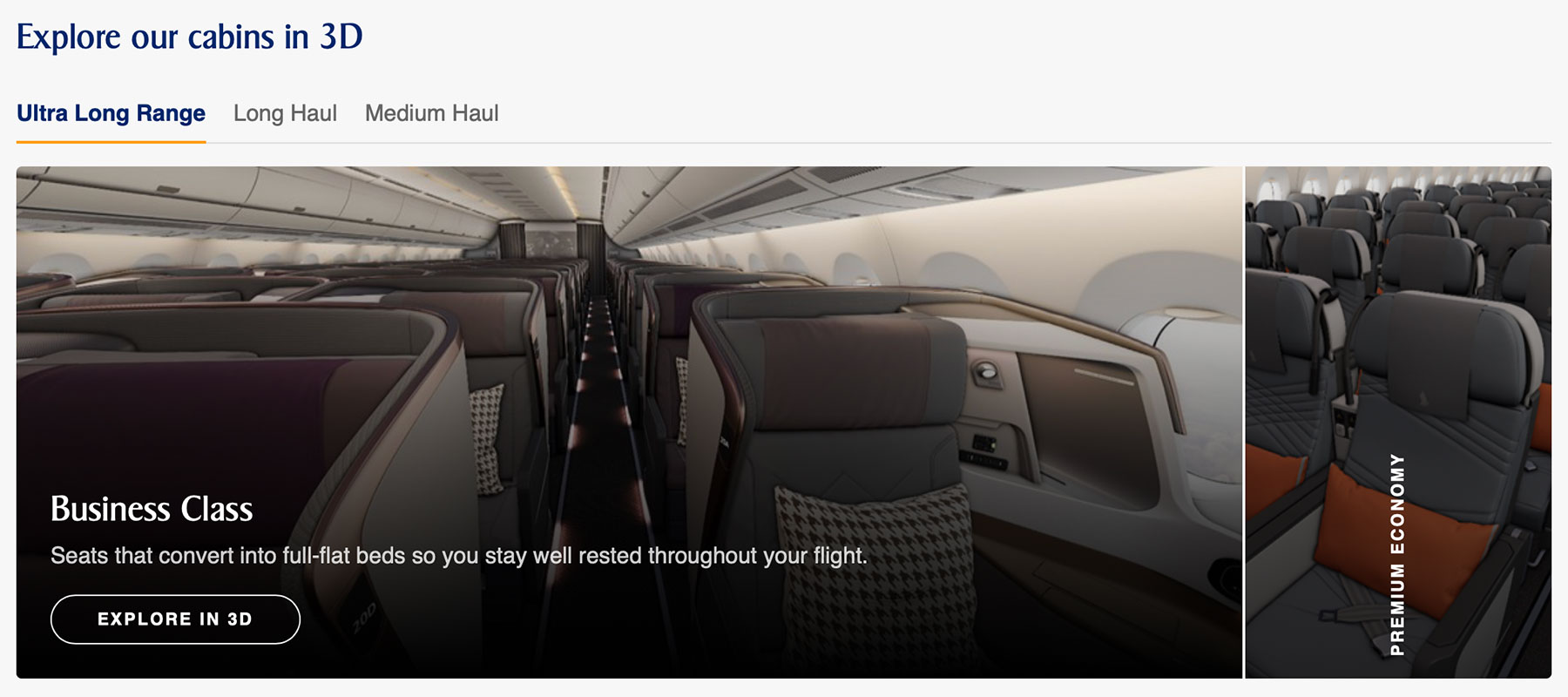
The Boeing 777-9 is the exception, because it doesn’t have a fleet page on the website yet. Its walk-through is featured on the airline’s new travel experience page instead, under ‘Cabin VR Experience’ or ‘Explore Cabin in VR’ links.
Jumping into specific seats
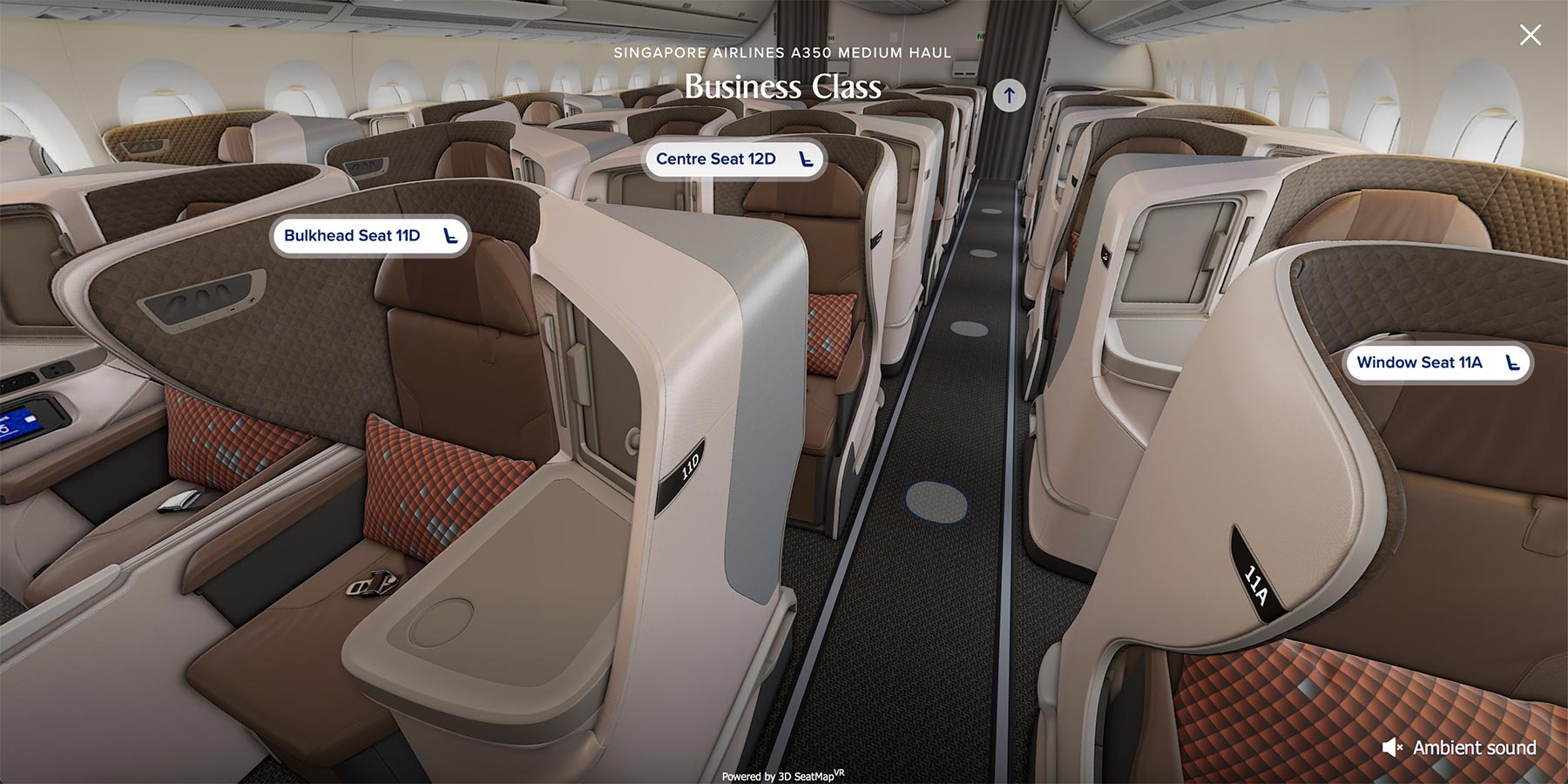
As before, the walk-through isn’t a free-roam simulator. You move between fixed positions along the left hand aisle, and a selected handful of seats in each cabin can be ‘jumped into’ for a proper look around.
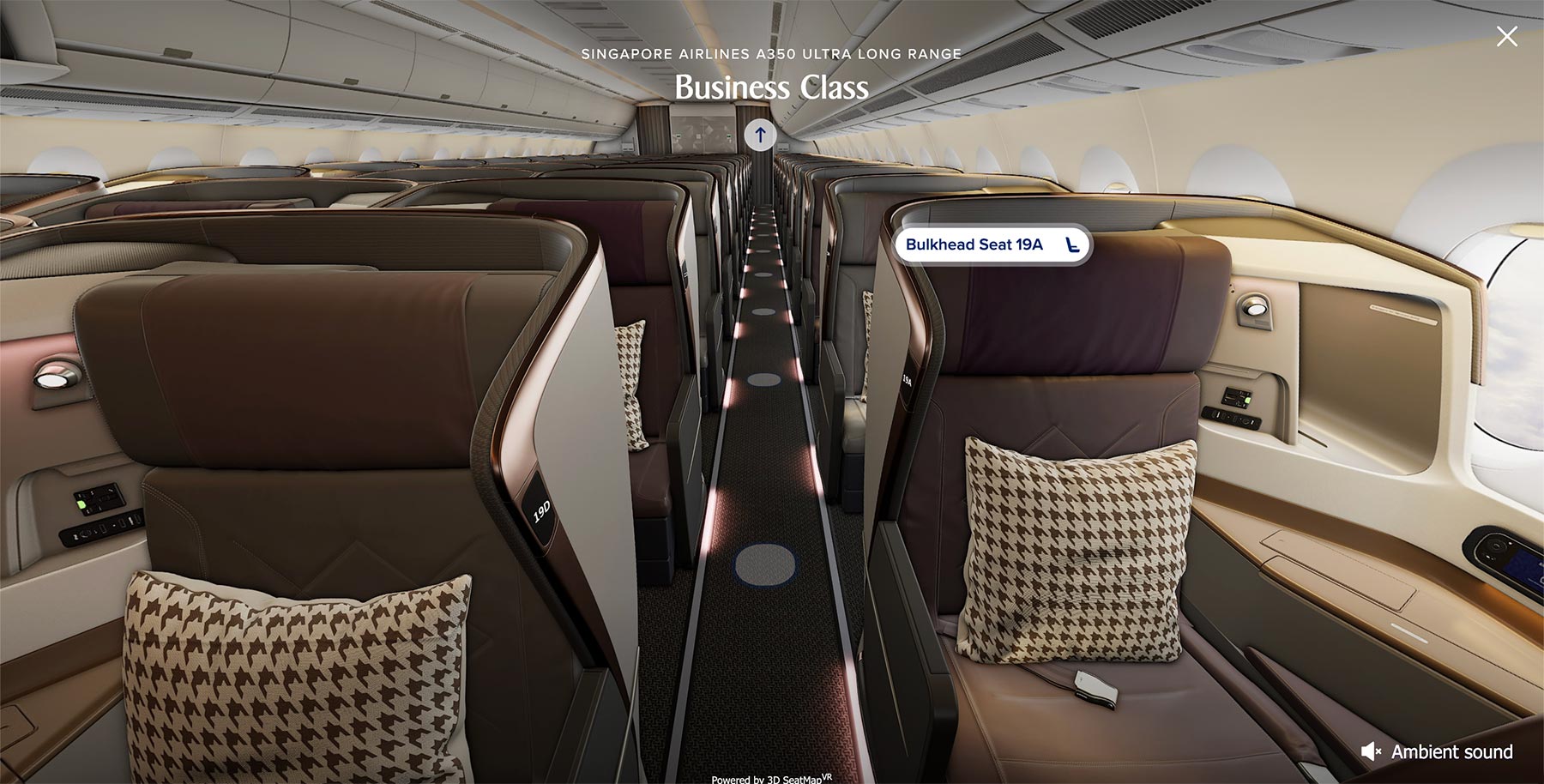
The Airbus A350 Long Haul gives a good idea of the ‘jump-in’ seat preview selection on a three-cabin aircraft:
- Business Class: 11D, 12A, 12D and 19A
- Premium Economy: 31C (extra legroom), 31D (bulkhead) and 33E (centre)
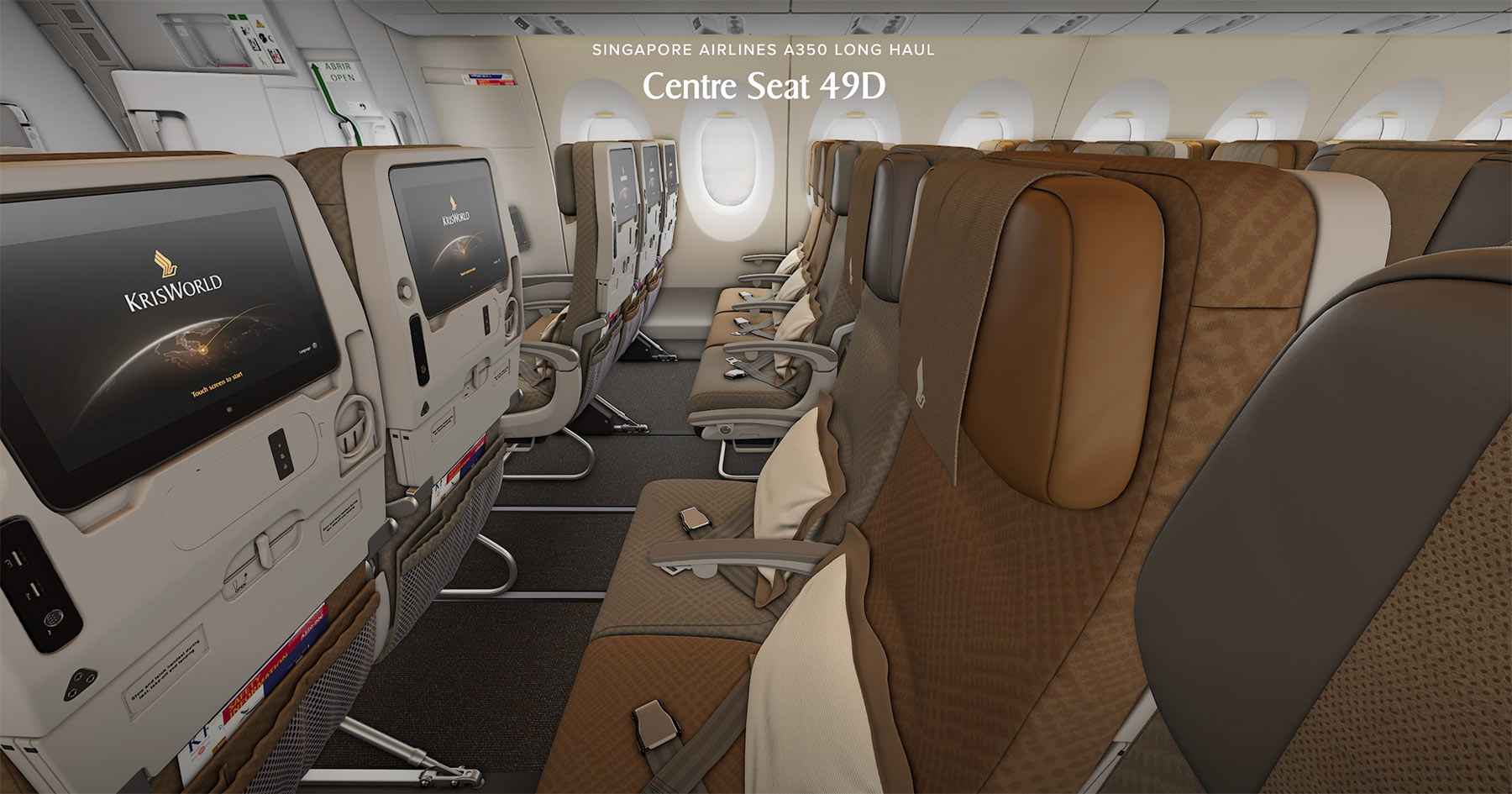
- Economy: 47C (extra legroom), 47D (bulkhead) and 49D (centre)
So rather than offering every seat, SIA picks one of each seat type that’s actually different, so you can see what a bulkhead row actually looks like, or how exposed a centre seat really is.
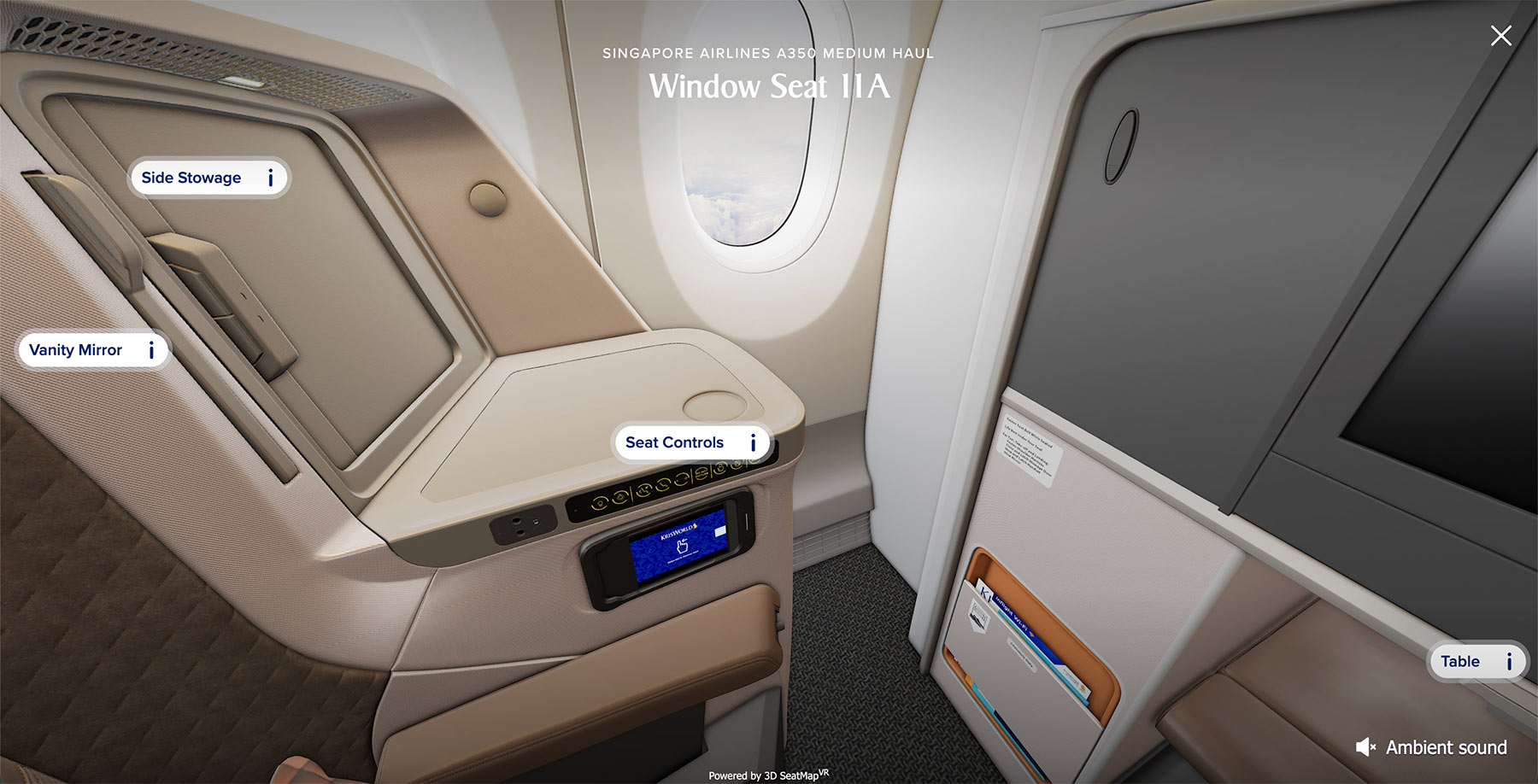
Once you’re in a seat, small ‘i’ markers appear around the cabin, each opening a short description of the feature behind it. Click the ones around an A350 Medium Haul window seat, for example, and they point out the side stowage, the seat controls, the table and even the vanity mirror.
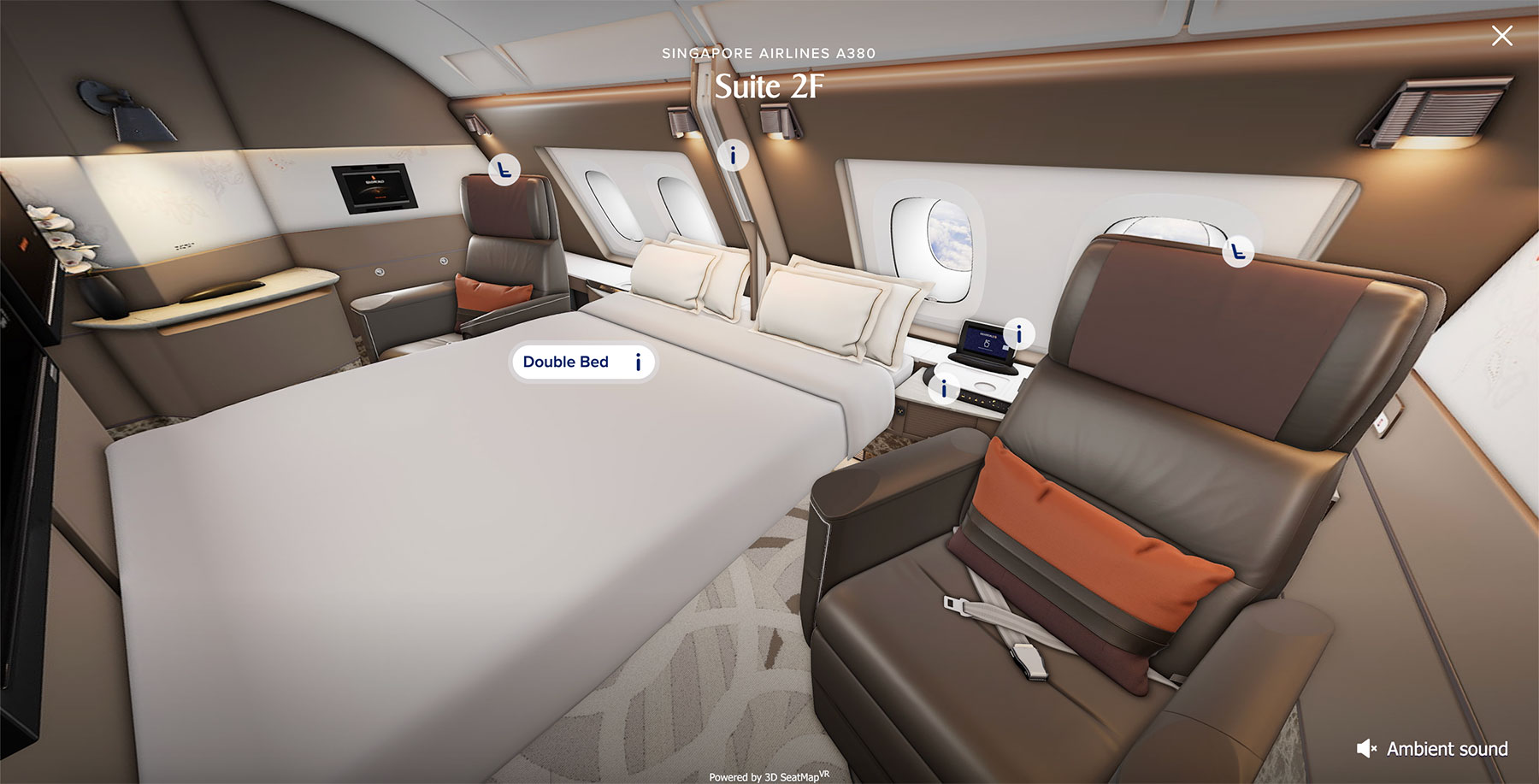
The pick of the bunch is probably the A380, where the 2017 Suites offer four jump-in points at 1A, 1F, 2F and 3F.
Two of those show a conventional single Suite, but 1F and 2F are presented opened up to one another with the double bed made, which is how couples book these in the first place, and something a 2D seat map was never going to truly show you.
The Boeing 777-9
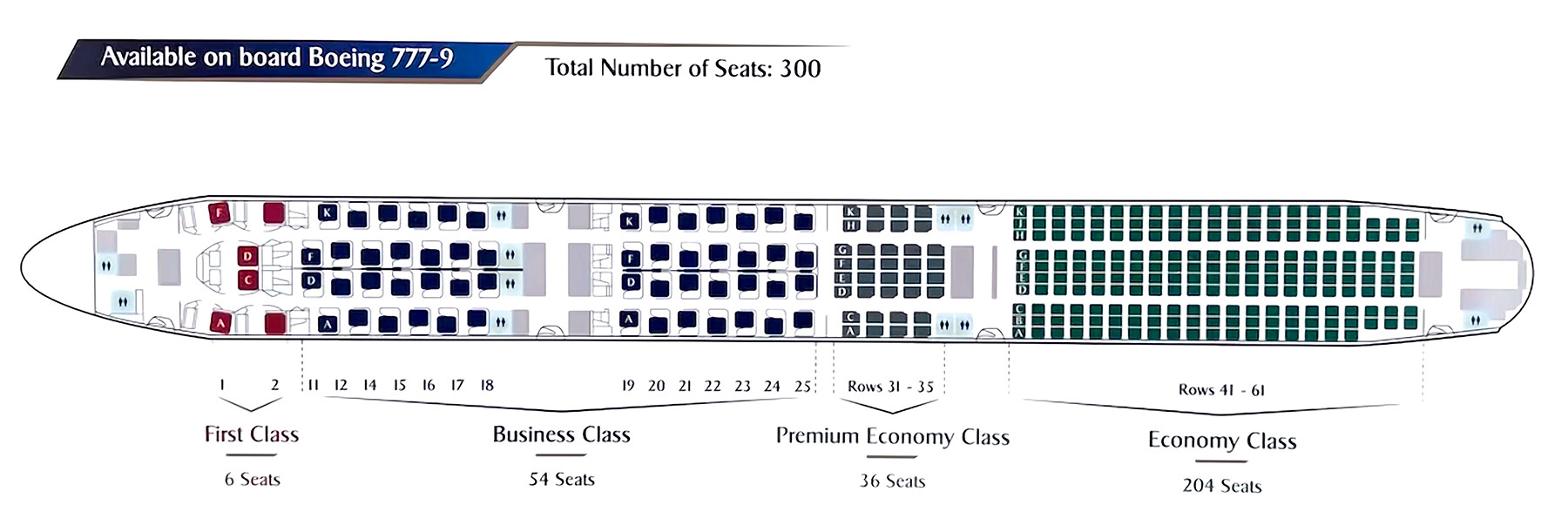
Singapore Airlines has gone a step further with the 777-9, building a full walk-through of an aircraft that won’t carry passengers until the second half of 2027 at the earliest.
All four cabins are included, so you can explore the new First Class and Business Class products alongside the new Premium Economy and Economy seats, all of which we covered in detail when they were revealed on 6th November.
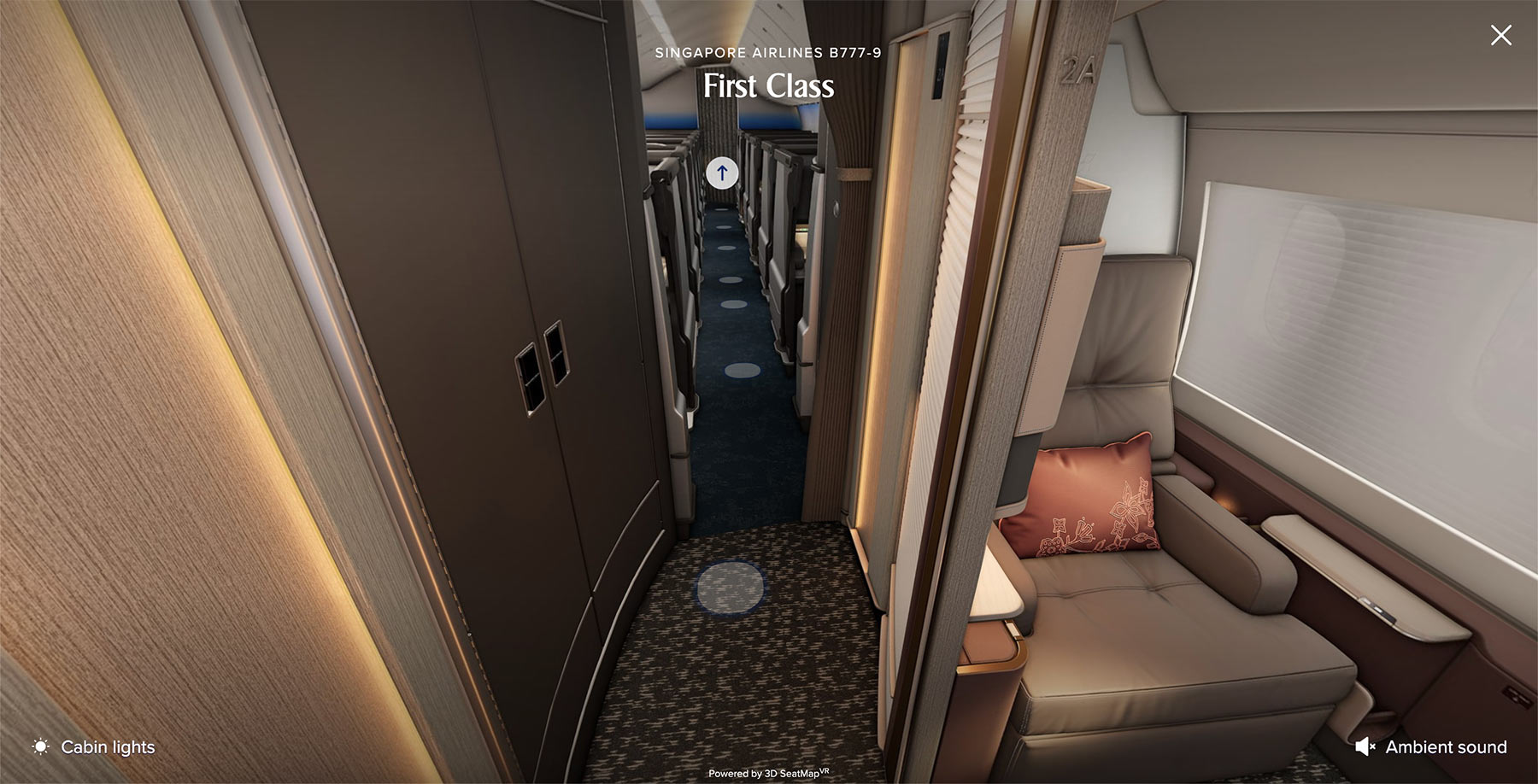
It’s the same 3D SeatMapVR engine as the fleet pages, so the navigation will be familiar, but this build goes slightly further than the rest.
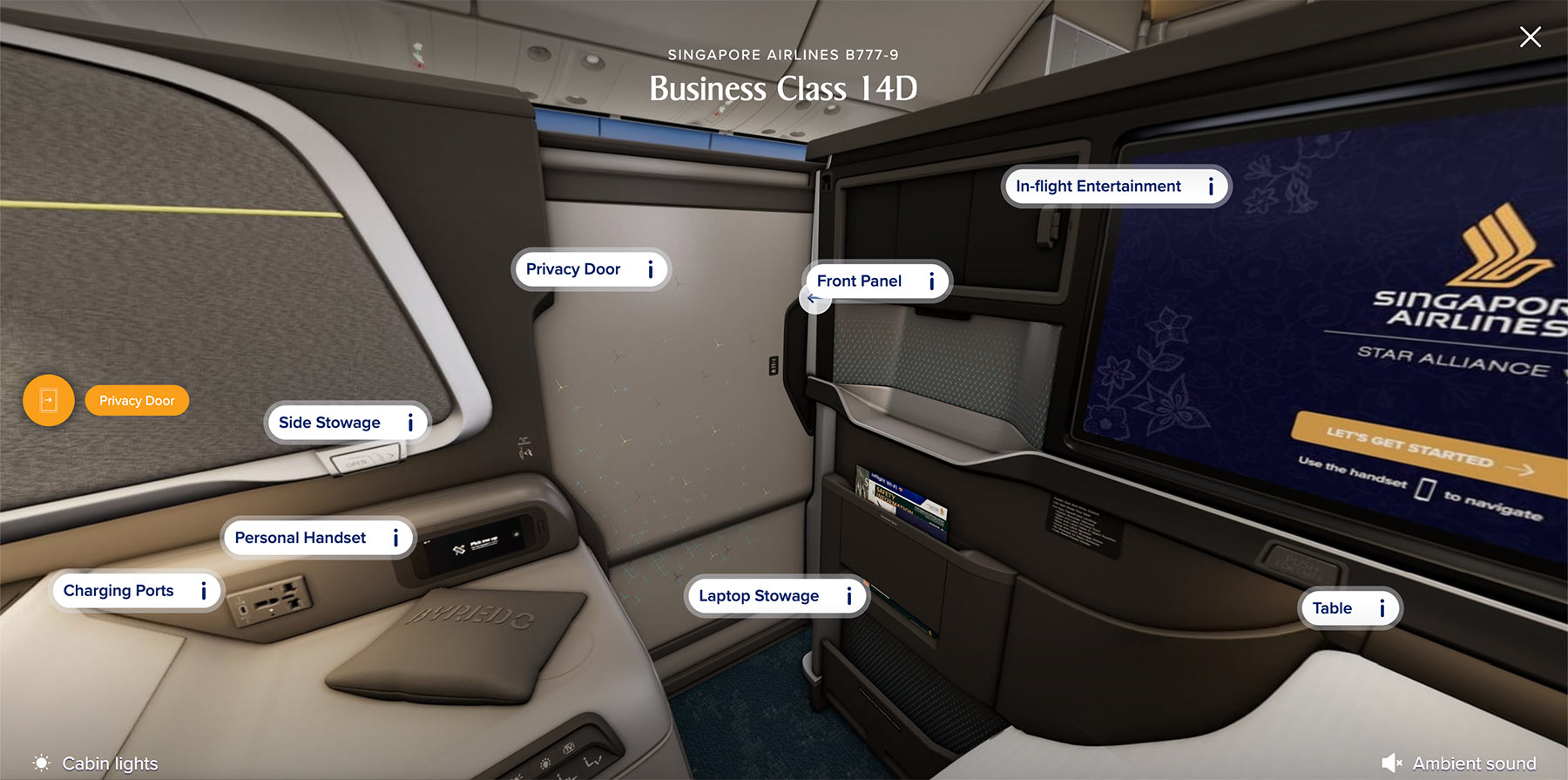
On the other walk-throughs you can only look. Here you can actually operate things.
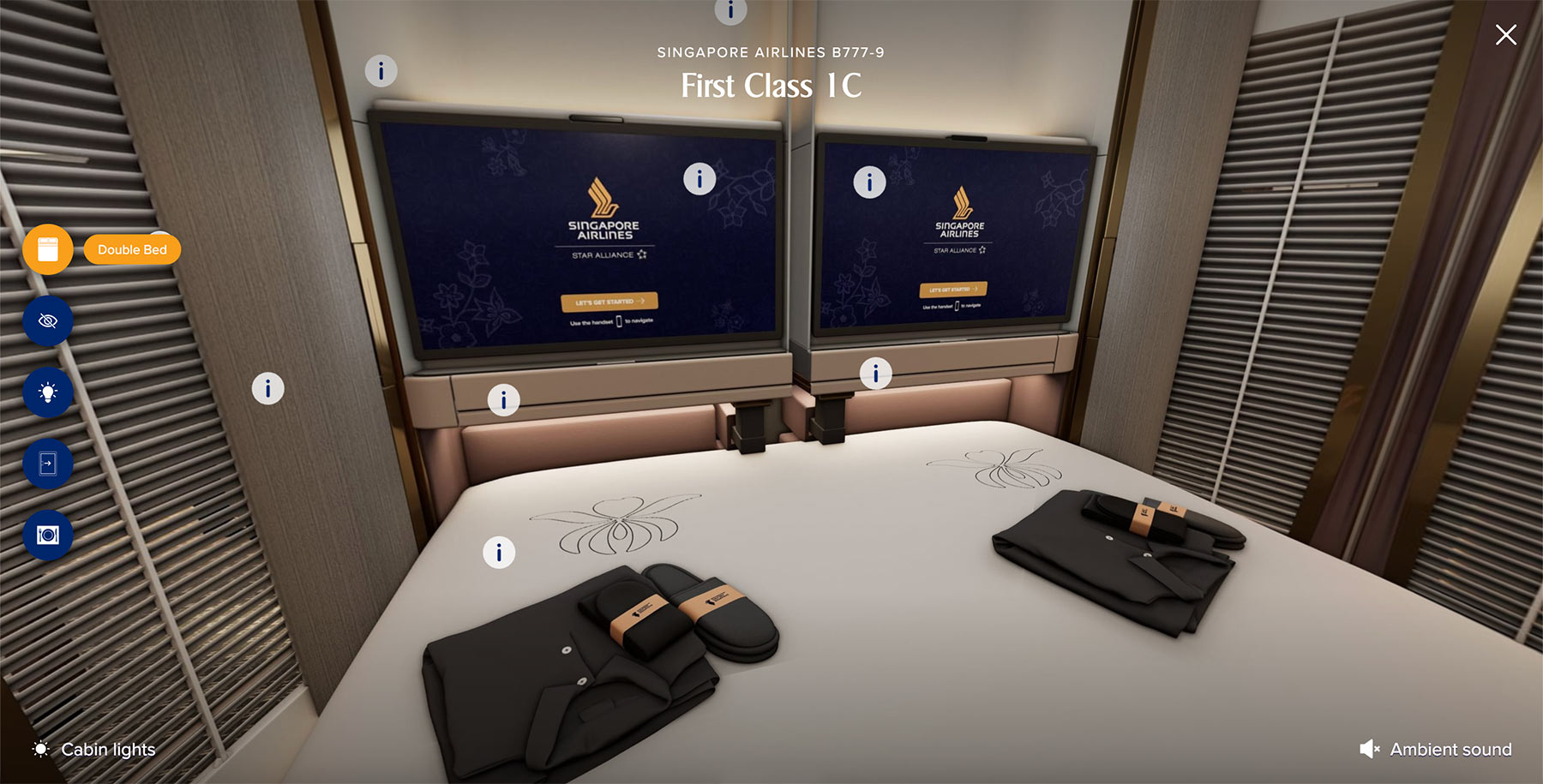
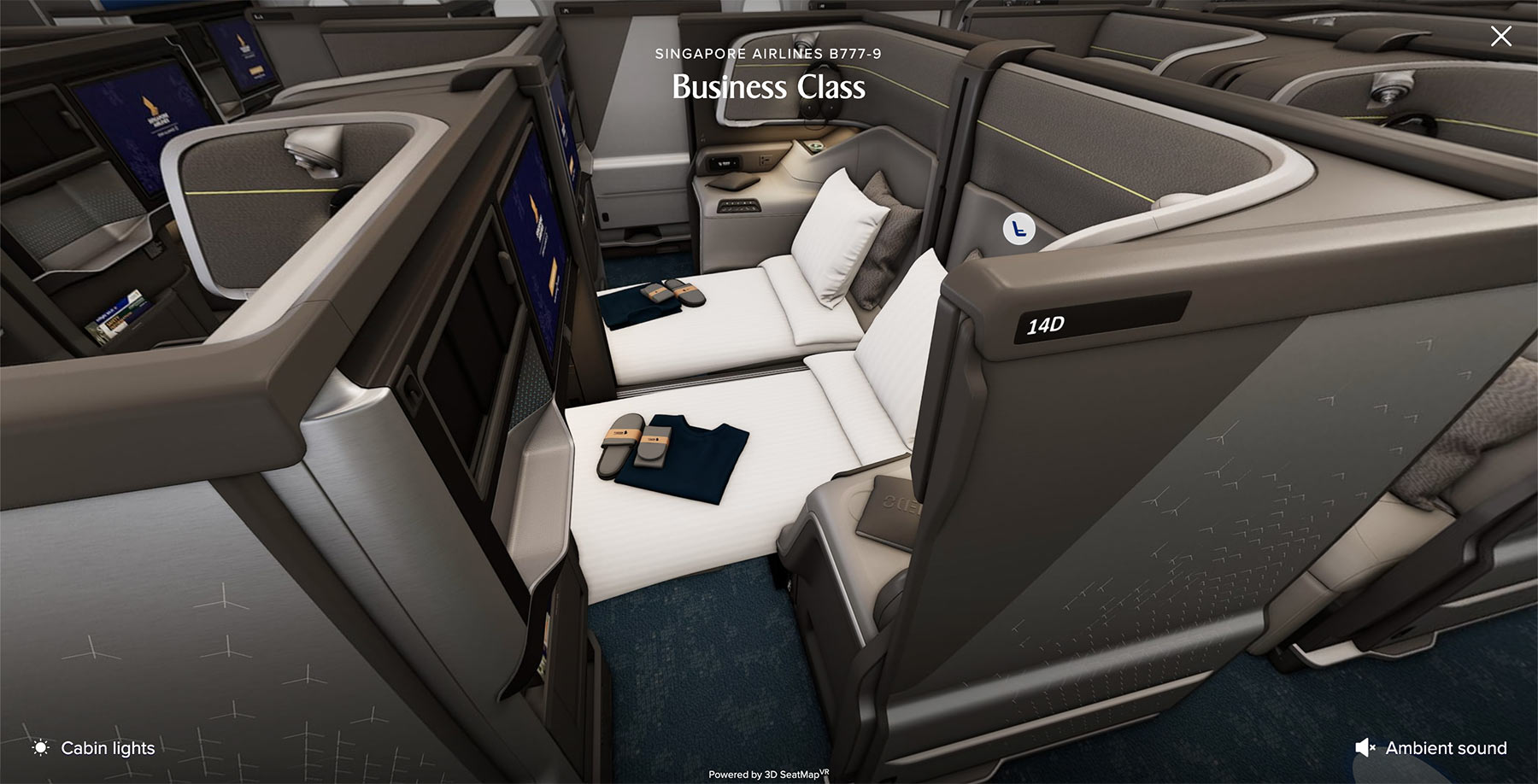
Business Class has a privacy door control, so you can sit in the seat and open or close the door to judge how enclosed it will actually feel. The two jump-in points are set up differently as well, with the centre pair at 14C and 14D arriving already in double bed mode, while the window seat at 12A loads in seat mode.
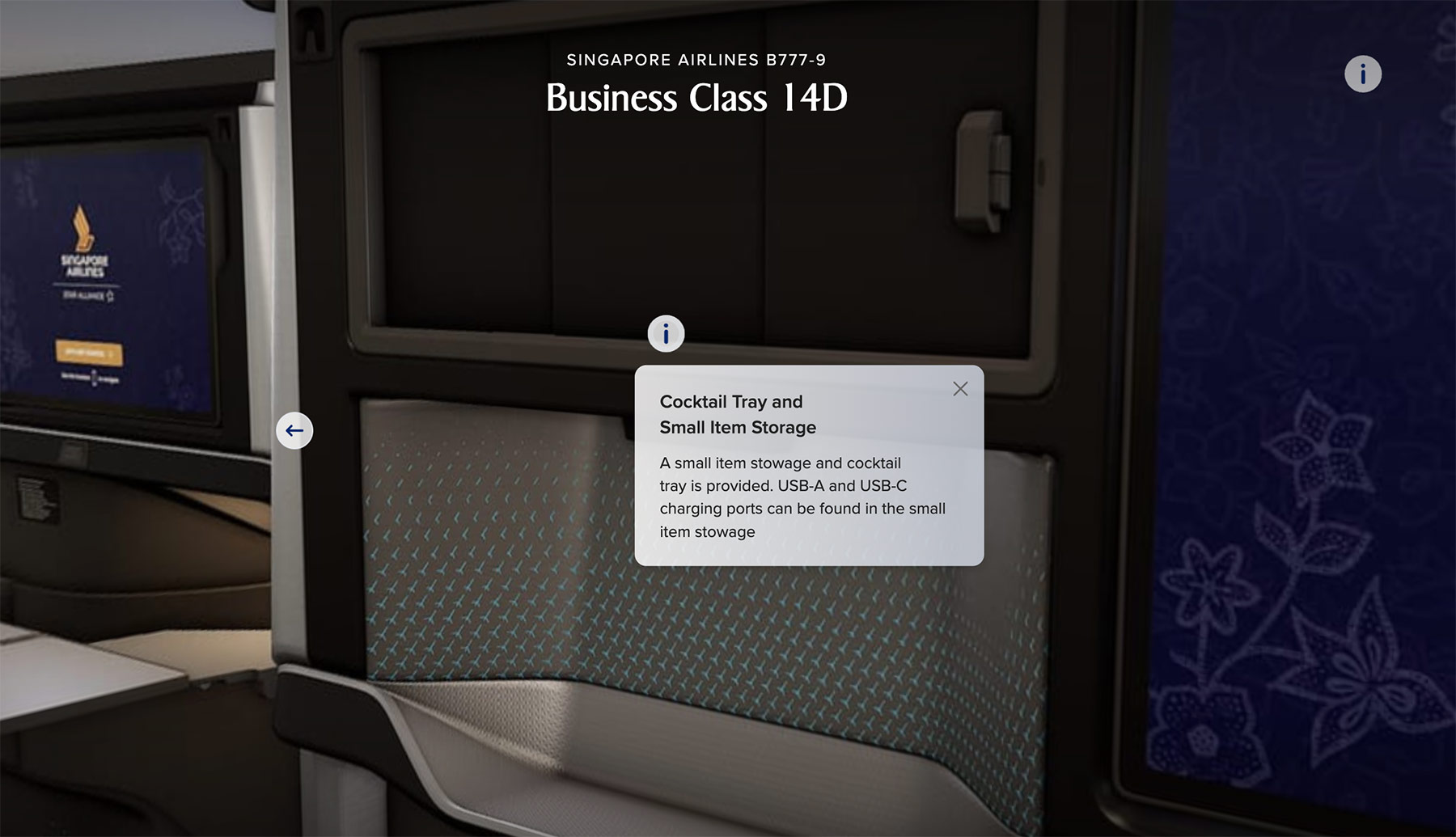
First Class goes further still. At the window suite, 1A, five controls run down the left of the screen, letting you lay out the full flat bed, switch on the feature lights, close the privacy doors, deploy the table and lower the window shade. At the centre suite, 1C, you get a privacy divider control and a double bed toggle, and switching that on reveals the bed made up across 1C and 1D.
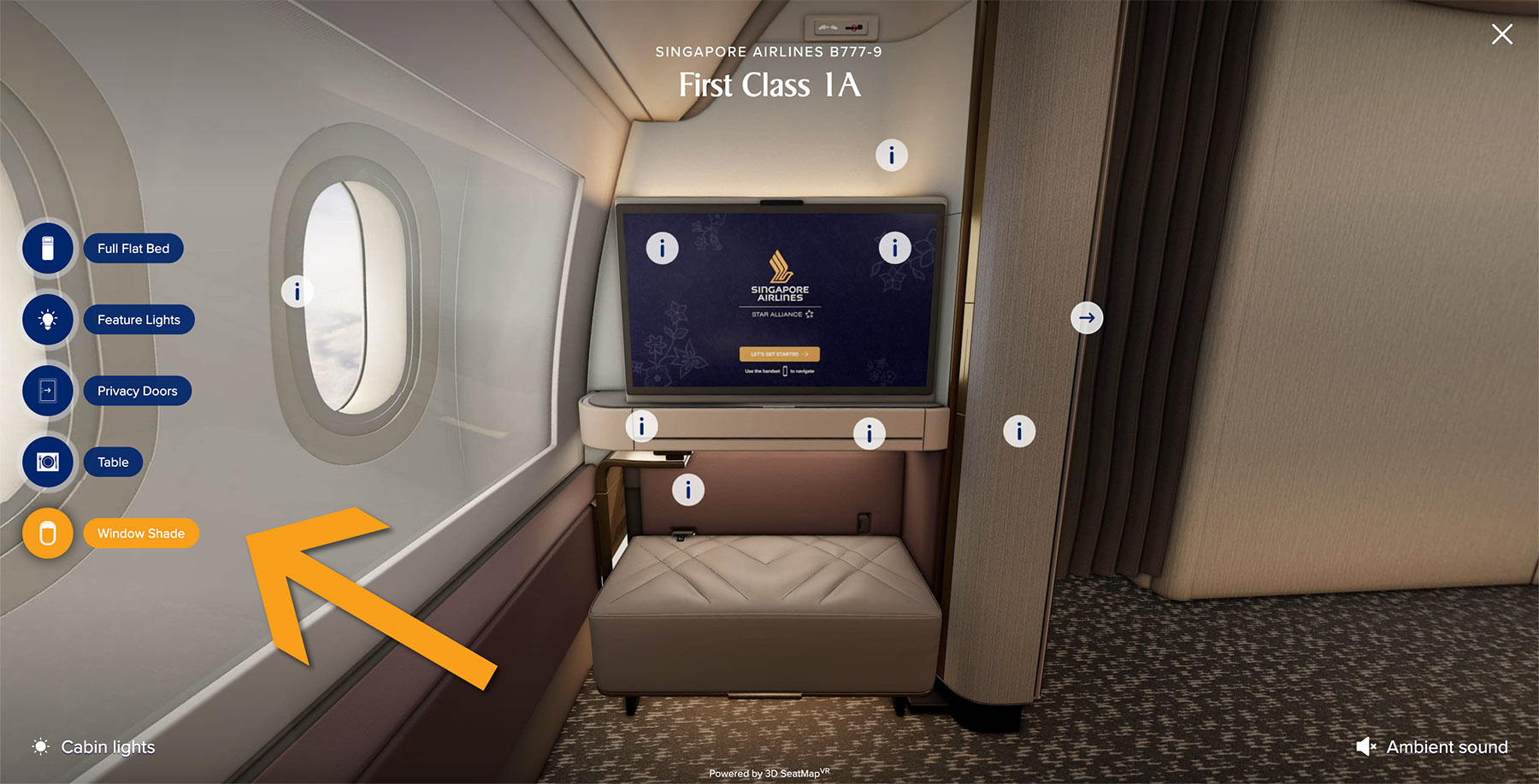
For a cabin nobody can book for the best part of a year yet, that’s a lot of detail to have modelled, and you’ll know exactly what to expect long before you board.
Economy gets a walk-through too, revealing its 3-4-3 configuration across a giant single-section 21-row cabin.
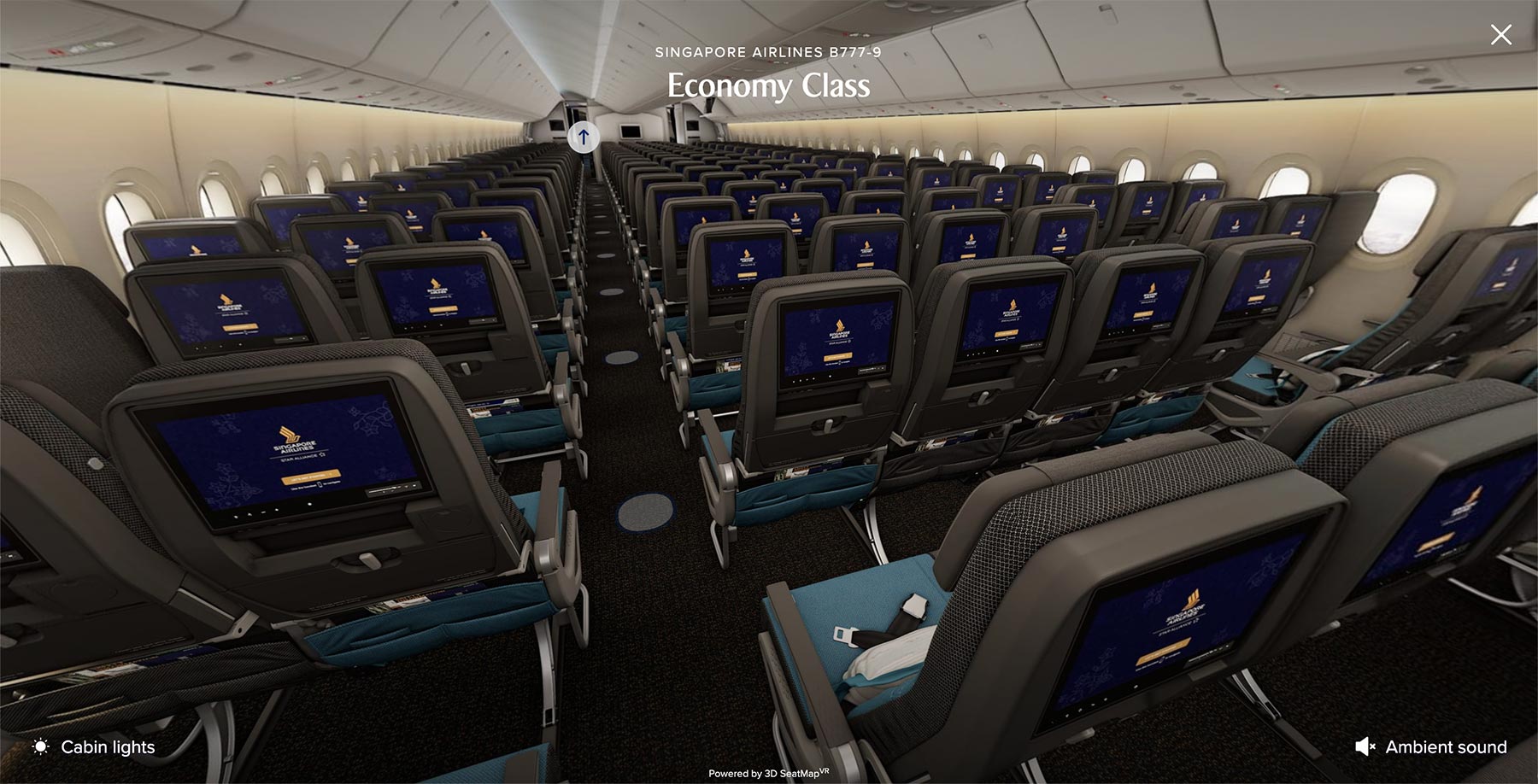
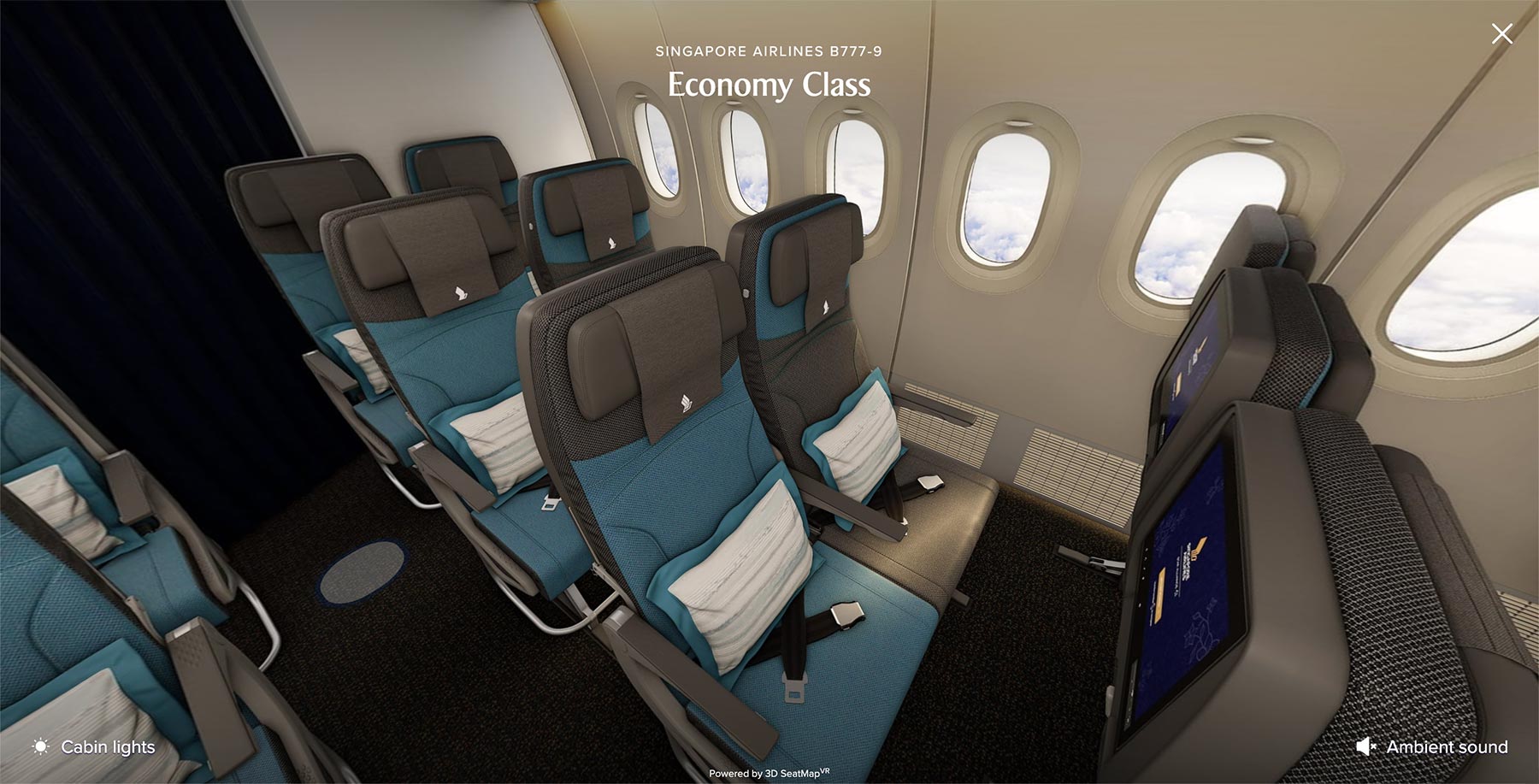
The 777-9 walk-through also retains the ‘Cabin lights’ feature that allows you to toggle between day and night mode, though that’s disappeared from the original 777-300ER 3D walkthrough and has also not been incorporated for the other types in the fleet for some reason.
The ambient sound option remains on all the walkthroughs though, and this one plays Singapore Airlines’ boarding music rather than making any attempt at realistic cabin noise like crying infants – probably for the best!
3D previews are finally on the app
Our other long-running gripe has been dealt with too, albeit only partly.
The seat-by-seat 3D preview, the one that lets you pan around whichever seat you’re actually choosing during the booking process, has reached the SingaporeAir mobile app. We’ve been asking for this since March 2025, and flagged it again as the most obvious gap in the offering just last month.
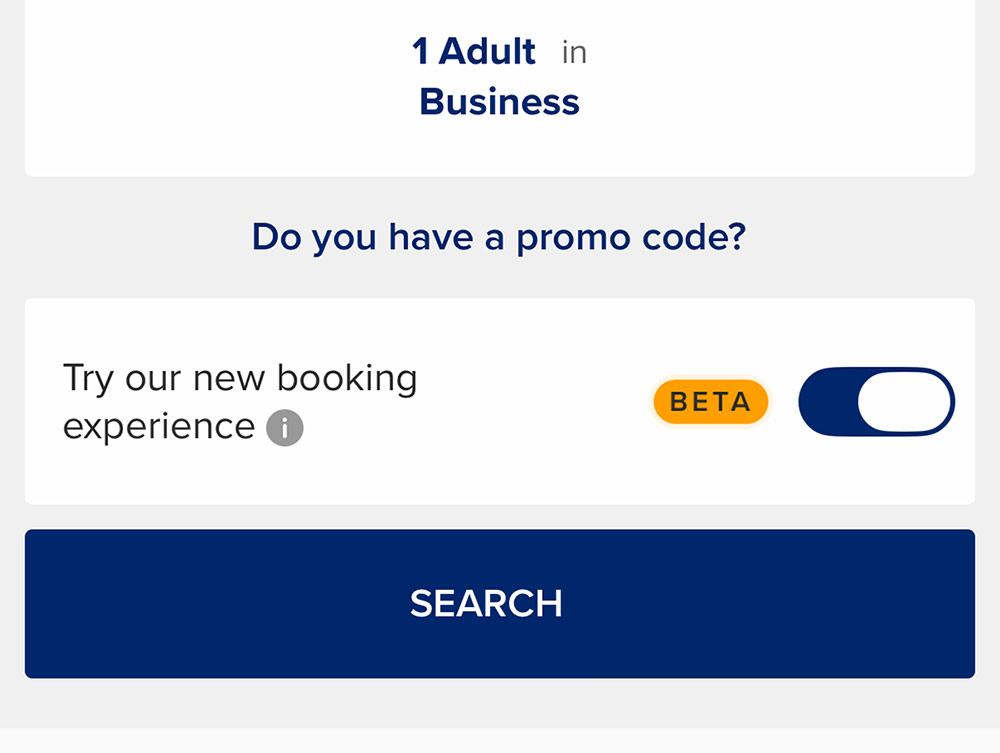
To find it, switch on the ‘Try our new booking experience’ toggle on the Book Flights screen before you search.
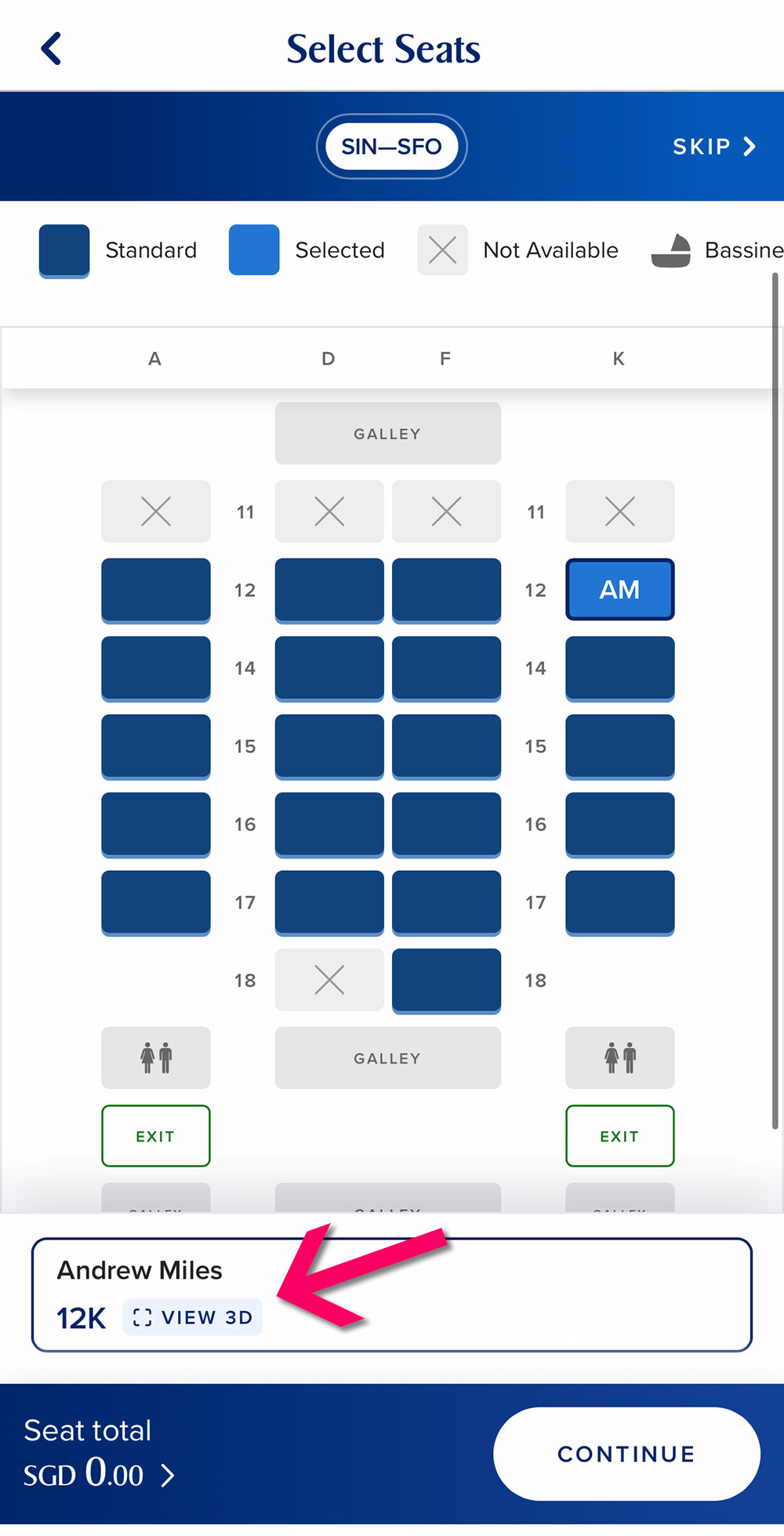
Once you reach seat selection, your chosen seat appears in the bar at the bottom of the screen with a ‘View 3D’ button beside it.
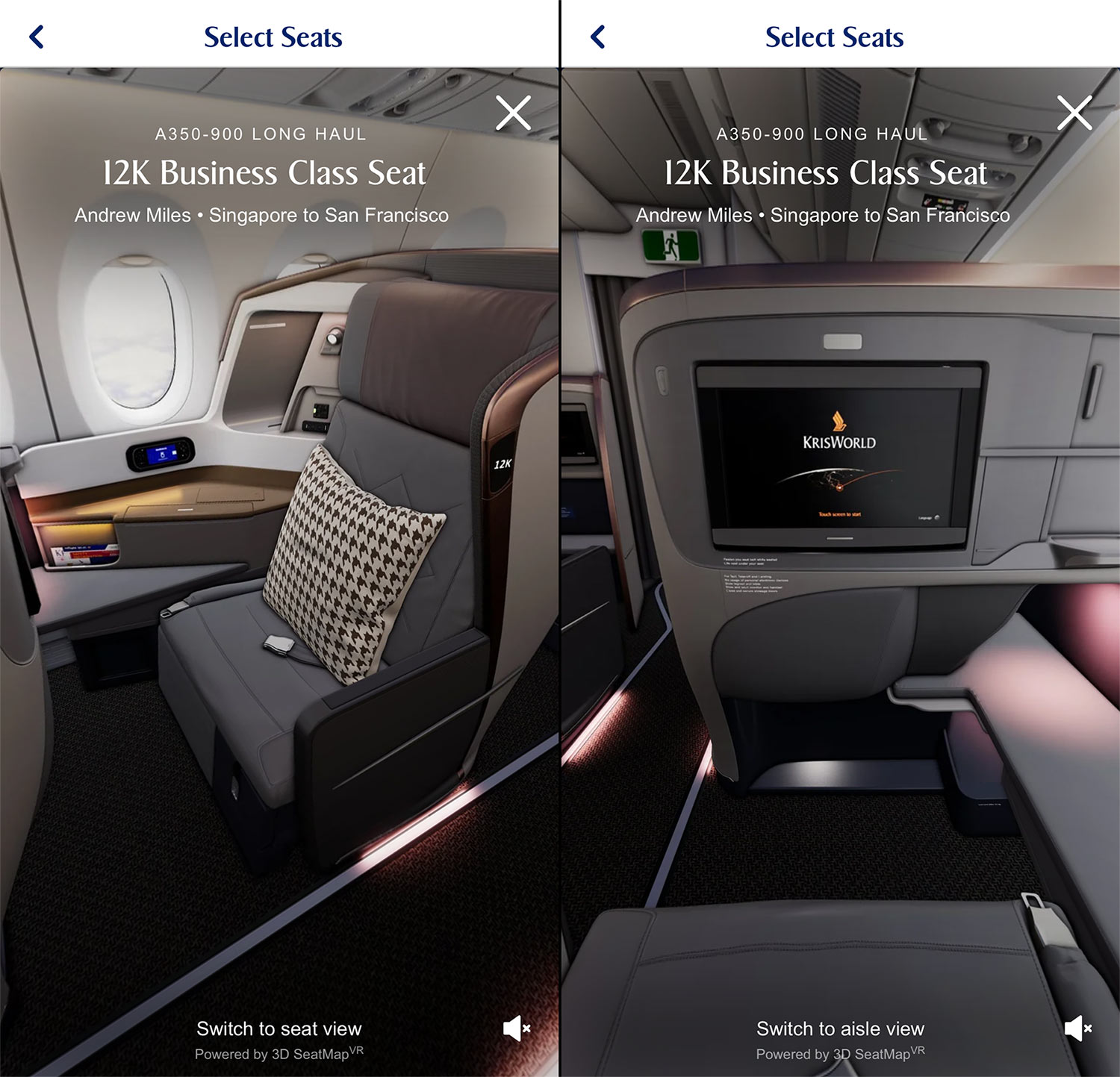
Tap it and you get the same pan-around view as the desktop site, with the option to switch between the seat view and the aisle view, and the ambient sound control in the corner.
No 3D app preview for award redemptions
Unfortunately, the new booking experience in the app is currently available for cash bookings only. If you’re redeeming KrisFlyer miles through the app, you’re routed through the existing booking flow, where the only thing on offer is the regular 2D seat map.
For now, if you want a 3D preview of the seat you’re spending your miles on, you’ll have to do it on the desktop site.
To be clear as well, what’s reached the app is the seat preview rather than the full walk-through. The walk-through remains a fleet pages feature, reached separately from the booking process (though you can view it on your mobile device, via SIA’s Our Fleet page).
I can see why they’ve probably done it that way. Letting you wander off into cabins and seats you can’t actually select during booking would be a good way to lose track of the one job you were there to do, which is choosing your seat!
The SilverKris tours are now redundant
For a while now we’ve flagged the oddity of Singapore Airlines maintaining an entirely separate set of 360° cabin tours on its SilverKris site, covering only the A380 and 737-8 MAX and apparently linked from nowhere else.
They’re still there, but with both of those types now having proper walk-throughs on the airline’s fleet pages, there’s really no reason to use them any more.
The SilverKris page has at least been updated to link through to the 777-9 experience, so it’s no longer completely orphaned.
The A350 LH Economy seat issue remains
There’s a minor flaw we pointed out last month that’s still an issue in the walkthrough.
Singapore Airlines fits two different Economy Class seats across its A350 Long Haul fleet, with the newer 2017 seats on the ‘A350 Long Haul Plus’ sub-fleet, as we explain in our guide to the A350 fleet. The 3D tools (walkthrough or seat selection when booking) only ever show the older seat design.
SIA has built three separate A350 walk-throughs for the Medium Haul, Long Haul and Ultra Long Range variants, but still doesn’t distinguish the Economy cabin between the older and newer versions.
The newer Economy seat is fitted on 38% of the A350 LH fleet, but basically 100% of those operating to and from the US West Coast, where the additional range of the “LH+” variant is needed.
Once the A350 Long Haul retrofits begin next year, the same fleet will be flying around with two entirely different Business Class products as well, and a slightly different seating configuration in Economy Class, so we expect an “A350 LH V2” 3D walkthrough to surface at some point in the months ahead.
Summary
Singapore Airlines has extended its 3D cabin walk-through to every aircraft type in the fleet, in every cabin, 20 months after it first appeared only on the Boeing 777-300ER. The A350 gets three versions covering each sub-variant, and the A380’s Suites are ‘walkable’ for the first time, including the 1F/2F pair shown in the double suite arrangement.
There’s a Boeing 777-9 walk-through too, and it’s the best of the lot with additional features like opening and closing the privacy doors, laying out the double bed in the First Class suite, and working its window shade, table and feature lights. The cabin lighting can also be switched between day and night, which none of the other walkthroughs let you do any more.
The seat-by-seat 3D preview has also reached the SingaporeAir app at last, though you’ll need to enable the new ‘Beta’ booking experience to see it, and it only works for cash bookings at the moment.
Two slight disappointments are that the day and night ‘Cabin lights’ toggle has been dropped everywhere except on the 777-9, and the A350 Long Haul walk-through still shows only the older Economy seat, but there’s a good chance you’ll get the new ones on your flight.
Nonetheless this is a great new fleet-wide feature to have at our fingertips. We’ve gone from seat maps that were barely more than blue rectangles, through aeroLOPA’s accurate to-scale plans, to now being able to stand (virtually) in the cabin and look around in detail before booking.
Bravo, Singapore Airlines!
(Cover Photo: Shutterstock)